ich habe jetzt zum X-ten Mal Darstellungsproleme der MEWS App auf dem Rechner.
Was ich getan haben:
alle Cookies gelöscht.
anderen Browser ausprobiert.
Rechner neu gestartet.
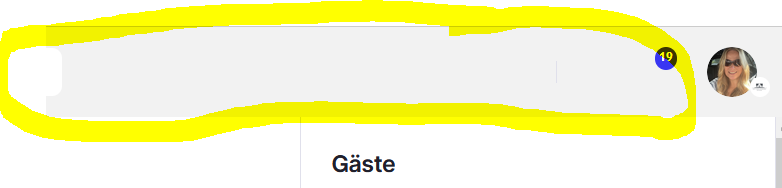
So sieht das heut aus. Es werden keine Icons angezeigt:
Problem bleibt. Hat noch jemand eine Idee? Oder hat das gleiche Problem. Es nervt mich einfach und klaut mir meine Zeit.
Freue mich auf ein Feedback. Liebe Grüße Simone
Best answer by Robin Gustavsson
Hello,
I don’t have the same issue as you, but you could try one of the following steps:
Cache or cookie issues Even if cookies are cleared, the browser cache might still contain outdated or corrupted files. Fix: Clear the entire browser cache, not just the cookies.
Browser extensions or ad blockers Extensions like ad blockers or script blockers can sometimes prevent icons or fonts from loading. Fix: Temporarily disable your browser extensions and reload the page.
Closed for Commenting
If you have a follow-up or related question, please
create a new question
. This helps us keep topics up to date.
I don’t have the same issue as you, but you could try one of the following steps:
Cache or cookie issues Even if cookies are cleared, the browser cache might still contain outdated or corrupted files. Fix: Clear the entire browser cache, not just the cookies.
Browser extensions or ad blockers Extensions like ad blockers or script blockers can sometimes prevent icons or fonts from loading. Fix: Temporarily disable your browser extensions and reload the page.
Welcome Mews customers. Please use the same email address for registration as in your Mews account. By doing so we can help you faster if we might need to check something in your account.