Question

Unable to Register External Payment on an Existing Invoice in Mews

  • July 9, 2026
  • 2 replies
  • 52 views

Hi,

We have an old invoice in Mews that was paid through another system. As part of our cleanup, we would like to register an external payment against this invoice.

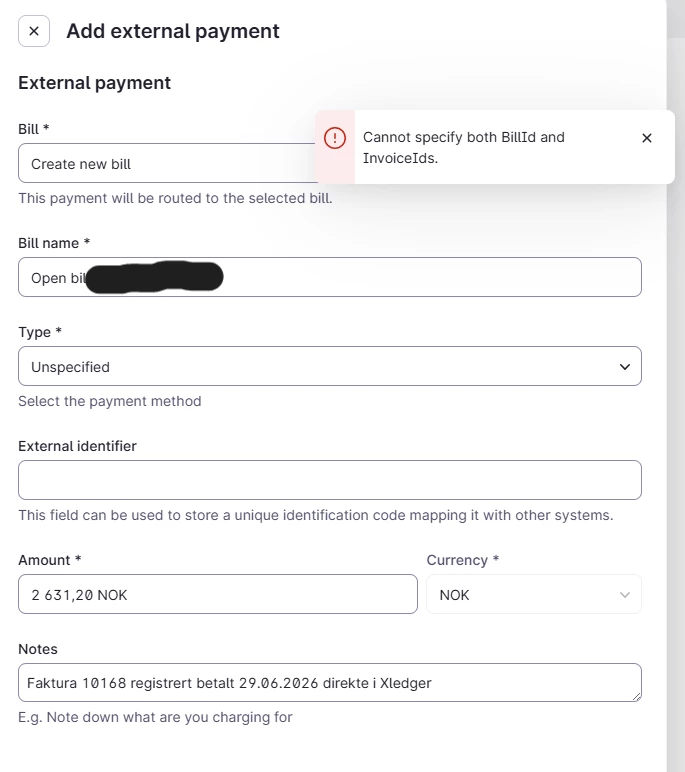
However, when we try to do so, we receive the following error message: “Cannot specify both BillId and InvoiceIds.”

We initiate the process from the invoice by selecting Add External Payment, but the window that opens asks us to create a new bill. And although we choose to do so, we are unable to register the payment against the existing invoice.

Could you please explain why this is happening and how we can resolve it? Is there a recommended way to register an external payment for an existing invoice in this situation?

Thank you in advance for your help.

Kind regards,

Daira

 

2 Replies

Johannes Rott
Community Luminary
Forum|alt.badge.img+2
  • Community Luminary
  • July 11, 2026

@daira 

we had a similiar situation after the PMS change.

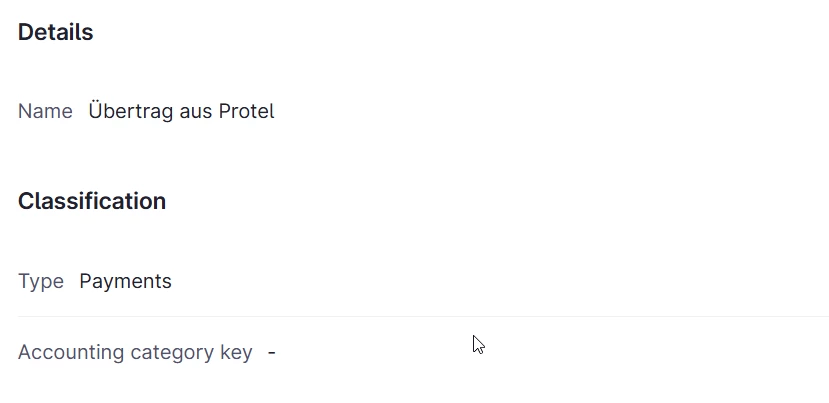
We created an external payment which is called “übertrag” (in German) as so called cross settlement.

might that be an option for you?


josue.orellana
Community Ambassador
Forum|alt.badge.img+1
  • Community Ambassador
  • July 29, 2026

Hello ​@daira

I’m Josue - one of the Community Ambassadors - and I’m happy to help clarify your question regarding the error message you received. Firstly, please accept our apologies for the delay in our response. 

Even though the window shows Bill: Create new bill, this error can still happen if Mews keeps the context of the original unpaid invoice in the background, when receivable tracking is disabled in your Accounting configuration. 

In that situation, the system is effectively trying to do two things at once:

  • create a new bill for the external payment

  • link the payment to the existing invoice in the same step

That is why the error “Cannot specify both BillId and InvoiceIds” appears.

Receivable tracking being disabled prevents the payment from being linked directly to a closed invoice. In those cases, the usual workaround is to enable Receivables tracking temporarily (Main Menu > Settings > Property > Finance > Accounting Configuration > General settings) and then try adding the payment to the closed invoice (as you were attempting to via the page on the screenshot.) 

If preferred, you can disable Receivable tracking after linking the payment. 

If the same error still appears after following that flow, I would recommend contacting Support so the request can be reviewed in more detail.

I hope this helps! If you have any questions, please don’t hesitate to let me know! 😎

~ Best regards,