
Hello !
We just started the new season here in Spain.
All the sudden its not possible anymore to use the camera for identity scanning.
it says: "not allowed to use this device"
Anyone an idea how to solve this ?
Thank you !

Solved
Not possible to use identity scanner
Best answer by sara.fernandez
Dear Giovanni,
This is Sara from Mews Support. Thank you for bringing this question to our attention.
If you come across the error message “Not allowed to access device”
Follow these steps to resolve the error:
- In your browser, click on the lock as seen in the screenshot below to change "Site settings".
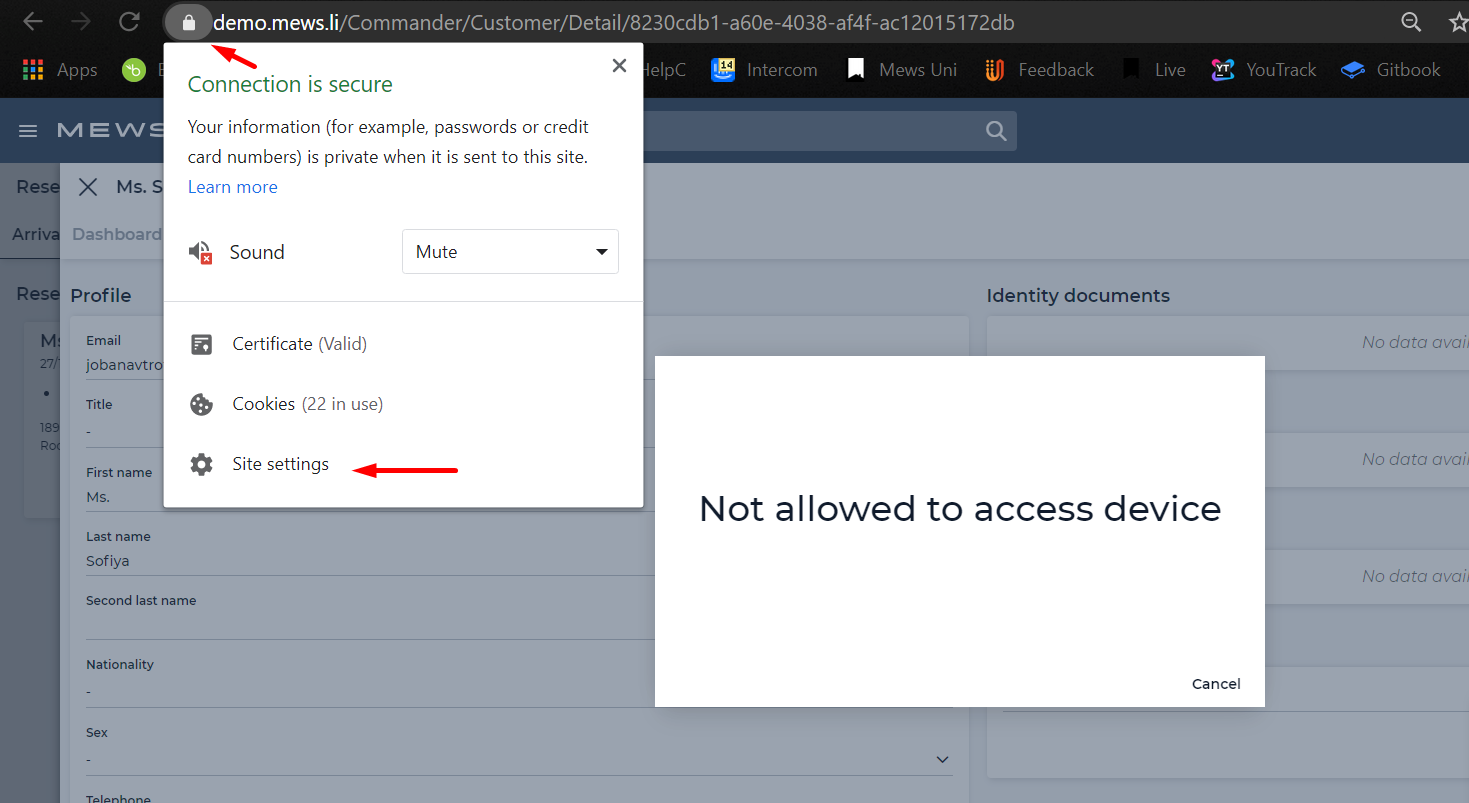
- In the settings page, click on Privacy and security and change the Camera permission to "Allow" as seen below.
You can now access the camera to scan identity documents.
Note: You need to change the permissions for "app.mews.com” to always allow your camera. The default setting in Mews is to ask for permission every time.
Learn how to manage website preferences for Chrome, Explorer, Firefox, and Safari.
Wishing you a lovely weekend.
Regards,
Sara
Closed for Commenting
If you have a follow-up or related question, please create a new question . This helps us keep topics up to date.




Join the Mews Community!
Welcome Mews customers. Please use the same email address for registration as in your Mews account. By doing so we can help you faster if we might need to check something in your account.
Already have an account? Login
Login to the community
No account yet? Create account
Enter your E-mail address. We'll send you an e-mail with instructions to reset your password.