




Sometimes one payment needs to do more than one job.
A company might make a single payment covering several stays or events. A group may have shared charges alongside separate bills. Or a payment simply needs to be redistributed after the billing setup changes.
Until now, there was a catch: one payment could only sit on one bill.
That meant extra steps to get every bill balanced, often using manual payment adjustments that made a straightforward task more complicated than it needed to be.
Split it, balance it, move on
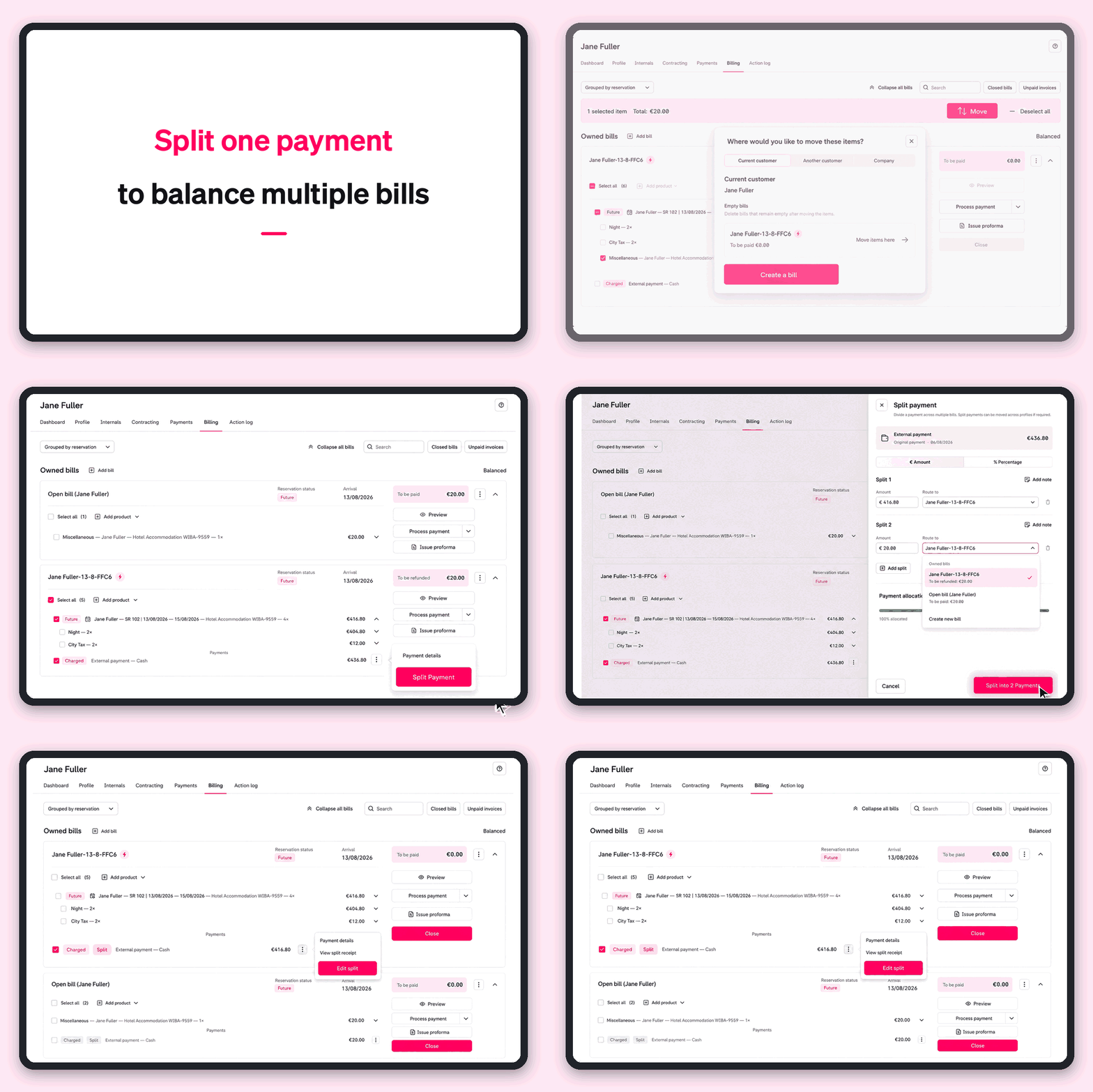
You can now split an existing payment across two or more bills directly from the billing screen.
Choose to split it by amount or percentage, then decide where each portion should go. Mews suggests a sensible starting point based on the balance, and you can add further splits if needed.
Changed your mind? No problem. You can edit the distribution again while the bills are still open.
The original payment remains traceable, while each split appears on the bill it belongs to. So every bill can be balanced and closed independently.
Less workaround, more control:
For front desk and reservations teams, it means fewer steps when billing changes and less time spent moving payments around.
For finance teams, it means cleaner payment allocation and a clear connection back to the original transaction.
And for groups, events and multi-bill scenarios, one payment can now reflect the way the business actually needs to be billed, rather than forcing the billing around the payment.
The outcome is simple: faster bill balancing, fewer manual adjustments and more control when plans change.
Good to know: this update is for splitting payments. Splitting order items is a separate capability that we're continuing to work on.