





Lea runs finance at a 120-room city hotel. Most mornings, her inbox has some version of the same four messages:
"Can you resend the bill?" "This should be billed to the company." "The minibar is missing." "Why is this bill still open?"
None of these are hard problems. But together, they take hours every week from a team that already has too much to do.
Because the real work isn't sending a PDF. It's everything that has to happen first: getting every charge onto the right bill, routing payments to the right place, closing bills at the right moment, issuing bills with consistent numbers and naming — and only then sending them.
Over the last few years, Mews has rebuilt billing around one principle: automation should be the default, and manual work should be reserved for the edge cases that genuinely need a person.
The latest updates complete another important part of that picture. Mews now supports automated bill closing and bill sending for eligible balanced bills.
Note: this applies to bills, not debtor invoices.
Three scenarios where this wins back hours
Standard guest stay
Before: every balanced bill still needed someone to close and send it manually at checkout. If a late charge appeared, the team had to fix the bill, close it again, and send the final version.
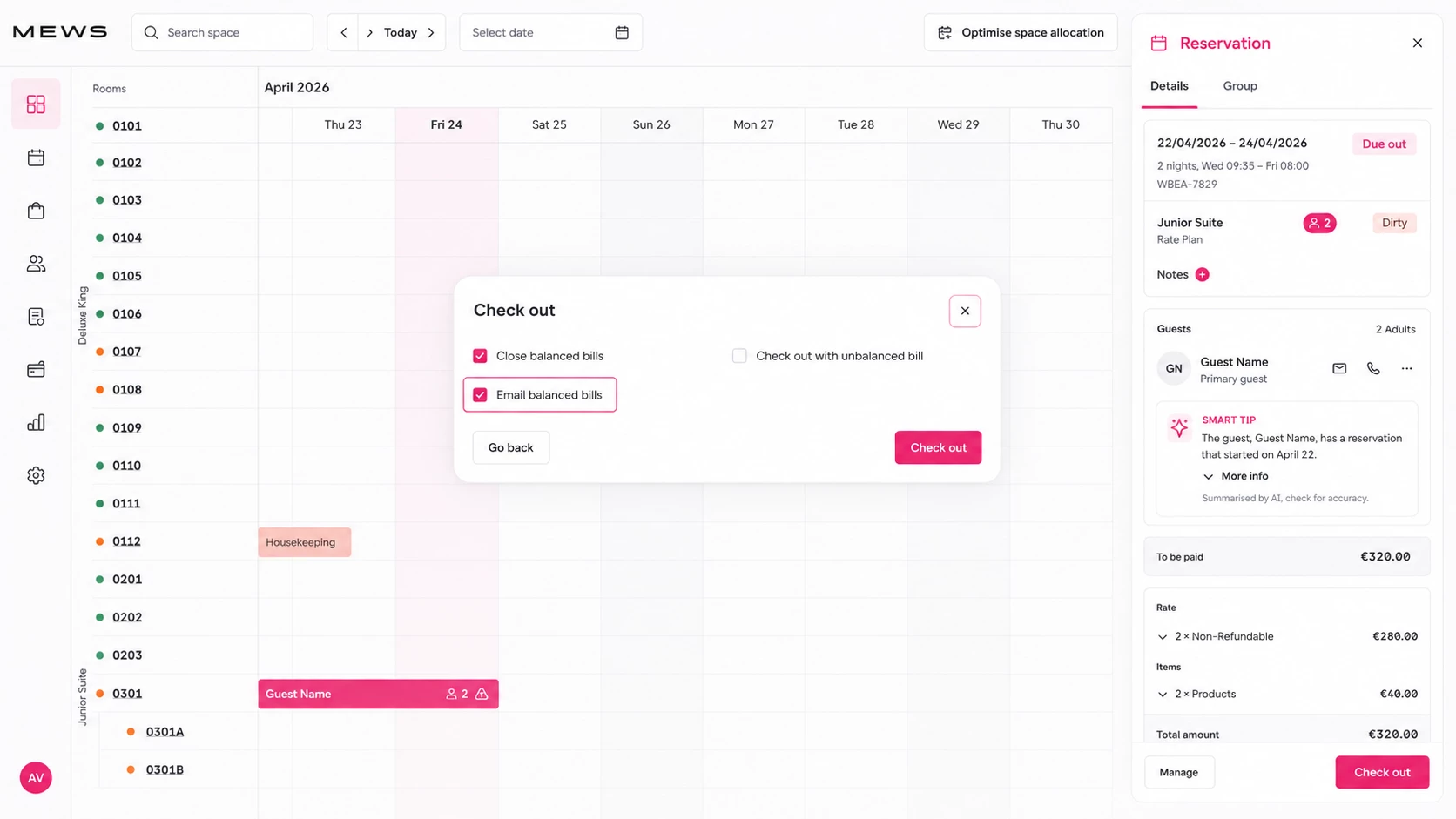
Now: charges can be routed in real time, eligible balanced bills can close at checkout, and Mews can send the bill to the guest automatically.
The guest leaves. The bill follows. The team moves on.
OTA or company-paid stays
In OTA and company-paid stays, the guest and the payer are often not the same person. Charges need to land on the right bill. Payments need to be routed to the correct bill. And if those bills stay open after checkout, reporting becomes messy very quickly.
Before: teams checked bill splits between guest and company profiles, moved payments where needed, closed OTA or company bills one by one, and sent the final bill manually.
Now: charges can land on the right profiles from the start, and payments can be routed to the correct bill from the start. When the bill is balanced at checkout, Mews can close it automatically and send it to the bill owner — fewer open OTA bills, fewer manual closures, cleaner reporting.
Long stays with monthly billing
Long stays create a different kind of billing pressure. The challenge isn't always checkout — it's rhythm. Weekly billing. Monthly billing. The same billing logic, again and again.
Before: monthly bills had to be prepared, checked, closed and emailed by hand each cycle.
Now: Mews can support custom billing frequencies, helping properties automate more of the monthly billing flow. This is the kind of automation that may not feel dramatic on day one — but feels very different after the third, fourth and fifth billing cycle.
How it works: three steps that keep billing moving
1. Charges land on the right bill as they happen
Billing Automation isn't just a checkout step. In continuous billing flows, it runs while the stay is still happening. As charges arrive — from the PMS, POS, integrations or additional services — they can be routed to the right bill based on rules you define once. Every similar stay can then follow the same logic automatically. Less rework, less cleanup after the fact.
2. Payments are routed to the right bill
The payment also needs to land in the right place. If it arrives on the wrong bill, finance still has to investigate, reassign it, and check the result. Mews can route the payment to the correct bill from the start, reducing the need for manual reassignment. For OTA-heavy properties, that means fewer payments sitting in the wrong place and less time spent connecting dots after checkout.
3. Eligible balanced bills close and send automatically
Mews can automatically close eligible balanced bills at checkout across relevant bill owners — not only standard guest bills. Once closed, Mews can send the bill automatically to the bill owner. The important detail is control: this isn't about closing everything blindly. It's about closing the bills that are ready, while keeping the cases that still need attention open for review.
The full journey becomes:
-
charges routed automatically
-
payments routed to the correct bill
-
eligible balanced bills closed automatically
-
bills issued with consistent numbering and naming
-
bills sent automatically to the bill owner
The result is a billing flow that moves by default, instead of waiting for someone to push it forward.
Why the setup step matters
You can activate automatic bill sending in a few clicks. But it's Billing Automation that makes sure each bill goes to the right profile, with the right charges, at the right moment. That's where the time savings actually start.
If the setup is too broad, finance won't trust it. If the setup is too manual, teams won't use it. The sweet spot is simple:
Set it up once. Override when you need to. Let it run.
Automation should handle the repetitive work. People should stay focused on the exceptions.
To get started:
What's next
This flow applies to bills today. Automated debtor invoice sending is the next step.
For now, the impact is already clear: fewer repetitive clicks, fewer open bills after checkout, and less time spent sending documents that could have sent themselves.
Lea's inbox will probably never be completely empty. But it can have fewer messages that start with: "Why is this bill still open?"