Solved

new reservation report

  • December 28, 2025
  • 18 replies
  • 429 views

Johannes Rott
Trailblazer
Forum|alt.badge.img+2

Hi everyone 👋

does anyone know how to filter by segment in the new report? 🔍
There’s a filter area in the bottom right, but it doesn’t show any segments. When using the general filter, “Segment” appears as an option, but you can’t type or select anything đŸ€”

Is anyone else experiencing the same issue? đŸ™‹â€â™€ïžđŸ™‹â€â™‚ïž

Best answer by josue.orellana

Hello ​@Johannes Rott 👋

I’m Josue - one of the Community Ambassadors - and I’m happy to help clarify your question regarding the new Reservation Report and filtering by Segment. 

I’ve confirmed the behavior your reported in my demo property where the Segments filter in the sidebar isn’t populating any options, even when segments exist. 

As a workaround for now, you can use the Old report version of the Reservation report and apply the Segments filter there.

Because this looks like unexpected behavior in the new report rather than a configuration issue, the best next step is to open a case with Mews Support so our experts can review it in detail and, if confirmed, escalate it to our developers.

This will give the team all the context they need to investigate properly and push it forward on their side.

Thank you again for surfacing this — it’s really valuable feedback for improving the new report. 🙏
If you have any questions, please don’t hesitate to let me know! 😎

~ Best regards, 

18 Replies

josue.orellana
Community Ambassador
Forum|alt.badge.img+1
  • Community Ambassador
  • Answer
  • December 30, 2025

Hello ​@Johannes Rott 👋

I’m Josue - one of the Community Ambassadors - and I’m happy to help clarify your question regarding the new Reservation Report and filtering by Segment. 

I’ve confirmed the behavior your reported in my demo property where the Segments filter in the sidebar isn’t populating any options, even when segments exist. 

As a workaround for now, you can use the Old report version of the Reservation report and apply the Segments filter there.

Because this looks like unexpected behavior in the new report rather than a configuration issue, the best next step is to open a case with Mews Support so our experts can review it in detail and, if confirmed, escalate it to our developers.

This will give the team all the context they need to investigate properly and push it forward on their side.

Thank you again for surfacing this — it’s really valuable feedback for improving the new report. 🙏
If you have any questions, please don’t hesitate to let me know! 😎

~ Best regards, 


Johannes Rott
Trailblazer
Forum|alt.badge.img+2
  • Author
  • Trailblazer
  • December 31, 2025

Hi ​@josue.orellana ! thank you on your reply.

i canÂŽt reopen the old version as i am not able to see the new report after clicking on the old one.
As the old one is a main part of our revenue management, we still need it the version as it is now due to excel exports. etc. 

is the old one going to stay or is it going to be removed at some point?

We are facing the same issue thoughout all of our five hotels.shall i open a ticket or do you take cae?


Sarah.Masterton-Brown
Mews Employee
Forum|alt.badge.img+2

Hi ​@Johannes Rott Sorry to hear this still isn’t working for you. As ​@josue.orellana says, it’s best to open a support ticket (if you haven’t already in the interim) so this can be properly reviewed.
Thanks


Johannes Rott
Trailblazer
Forum|alt.badge.img+2
  • Author
  • Trailblazer
  • January 6, 2026

​@Sarah.Masterton-Brown thanks on your reply. I will open the ticket to check on that just to make sure the new report shows the data the same way the old did. Our whole revenue management is based on the old reservation report so it would be a massiv issue for us. 


Louisa Ruhrberg
Forum|alt.badge.img+1

Hi ​@josue.orellana,
there is a feedback from our properties regarding the new reservation report.
There is no option anymore to filter for the customer classification which is very important for us.
So the main question is will the old reservation report stay or will you switch the reports at some time and delete the old one in general?

Kind regards

Louisa


deivid.saenz
Mews Employee
  • Mews Employee
  • January 22, 2026

Thank you all for the feedback. I’m part of the team working on the changes for Reservation Report. 

  • A button that reads “Old report” should be seen next to the time period selected in the top header. Please let me know if that button is not visible. We’re keeping the old report accessible as we transition to the new one. The aim is to eventually keep only the new version of the report, hence the importance of this feedback. We will address these (and other bits pointed out by other properties) as soon as possible.
  • Regarding Segments filter, it should work as a multi-select dropdown. I’ll check to see if this is a bug.
     

Thanks!


Johannes Rott
Trailblazer
Forum|alt.badge.img+2
  • Author
  • Trailblazer
  • January 22, 2026

​@deivid.saenz thank you, i am aware of old and new and the switch in between.

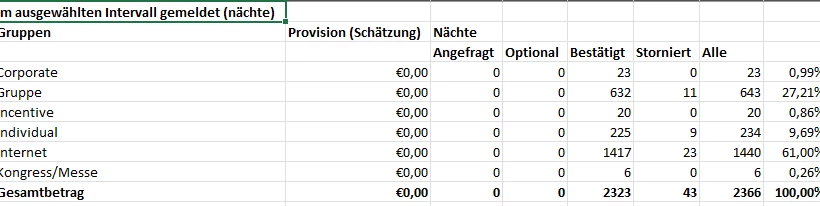
As mentioined before, we definitly need a table on the export showing the specific period - ADR- RN - REV per segment, that is something the new report doesnÂŽt offer as you canÂŽt chosse total or detailed.


deivid.saenz
Mews Employee
  • Mews Employee
  • January 22, 2026

Hey ​@Johannes Rott !

We’d love to jump into a call with you and understand your property’s needs better. Let me know where can we reach you out if so. 

Meanwhile, please try this (in case you haven’t yet):

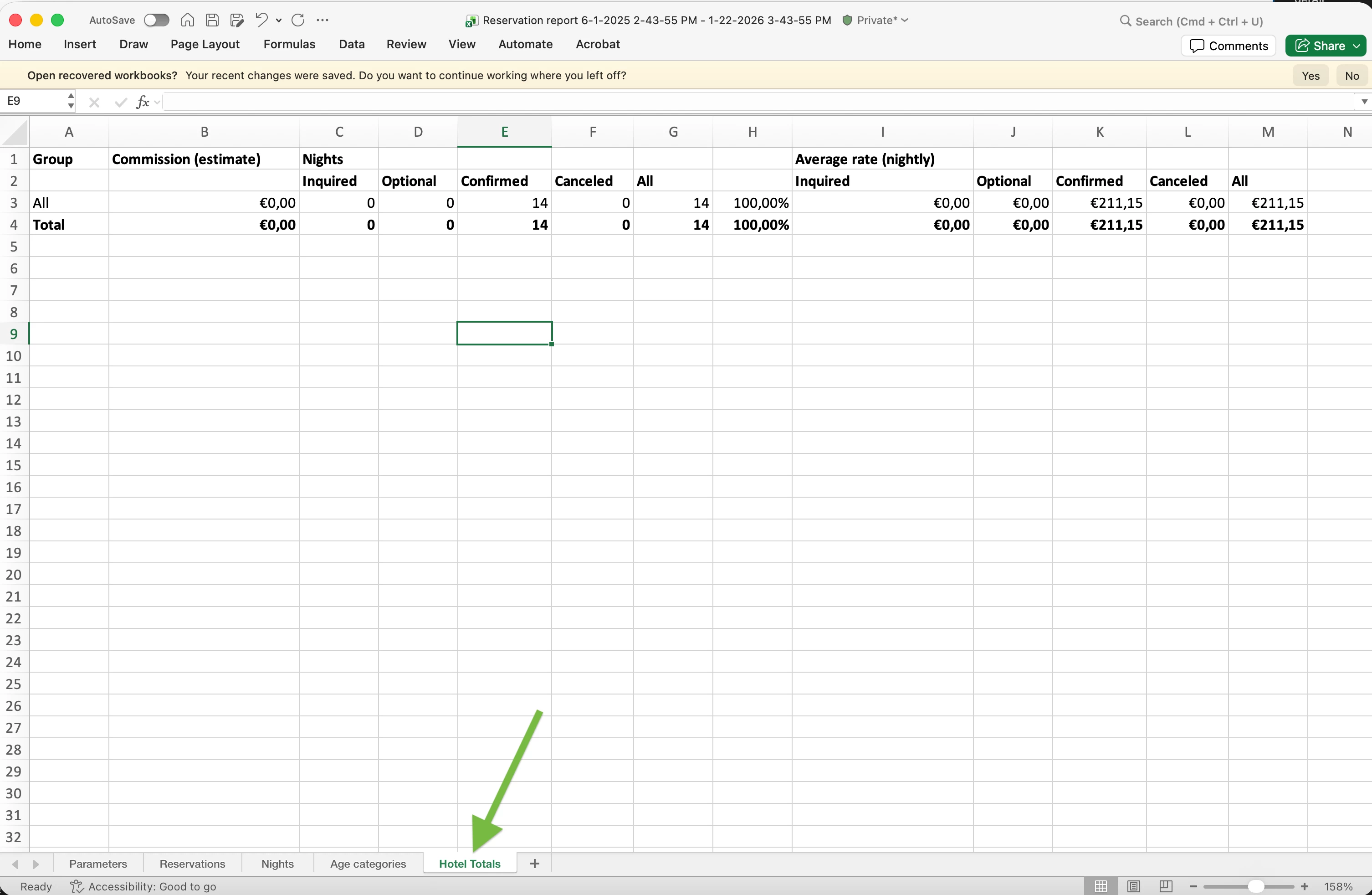
In the new report, we integrate the Totals and Detailed modes. This means, in terms of exports, that the Excel file that is exported in the new report will include a new tab that replicates the old Totals Mode export. Does that work for you?


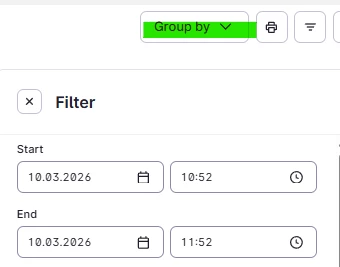
We are aware that if you’ve used the “Group by” functionality, it is currently not reflected in the Excel file. We’re already addressing this.

Hope this is helpful, and please do let us know if a call is possible :) 


Johannes Rott
Trailblazer
Forum|alt.badge.img+2
  • Author
  • Trailblazer
  • January 22, 2026

​@deivid.saenz thanks for your feedback! I have already seen the tab mentioned above but for us it is useless as we do go on segments not totals. 
 

sure i am in for a call. Can you sent some suggestions? We do miss a few/ lot reports we used on the old pms so maybe we can find something together! 


deivid.saenz
Mews Employee
  • Mews Employee
  • January 26, 2026

​@Johannes Rott I’ll DM you to find an agenda slot for a call :)


nnica
  • Navigator
  • February 9, 2026

It is an absolute rubish update. I seriously do not understand why Mews loves to complicate already perfectly working simple and elegant solutions. Today they made the new Reservation Report the default one so now we need to scroll left and right 10 Km  on the screen for information that on the old report ii was right there in front of you.

Why would you do that? I know their aswer will be “oh there is an OLD REPORT button”, yes there is so now we need to sign up for the clicking competions. 🙄 It is a complete distser of update.

When it comes to UX desgin đŸ€đŸ€đŸ€đŸ€đŸ€đŸ€đŸ€đŸ€đŸ€đŸ€đŸ€đŸ€


nnica
  • Navigator
  • February 9, 2026

Thank you all for the feedback. I’m part of the team working on the changes for Reservation Report. 

  • A button that reads “Old report” should be seen next to the time period selected in the top header. Please let me know if that button is not visible. We’re keeping the old report accessible as we transition to the new one. The aim is to eventually keep only the new version of the report, hence the importance of this feedback. We will address these (and other bits pointed out by other properties) as soon as possible.
  • Regarding Segments filter, it should work as a multi-select dropdown. I’ll check to see if this is a bug.
     

Thanks!


Well you better keep the old Report as it is when it exports as otherwise you will cause a lot of headaches for many of us who use Macro enabled Excel for the downloaded reports. But knowing Mews of course they will complicate that as well. They love to do that for no reason.


Tamara
  • Navigator
  • February 10, 2026

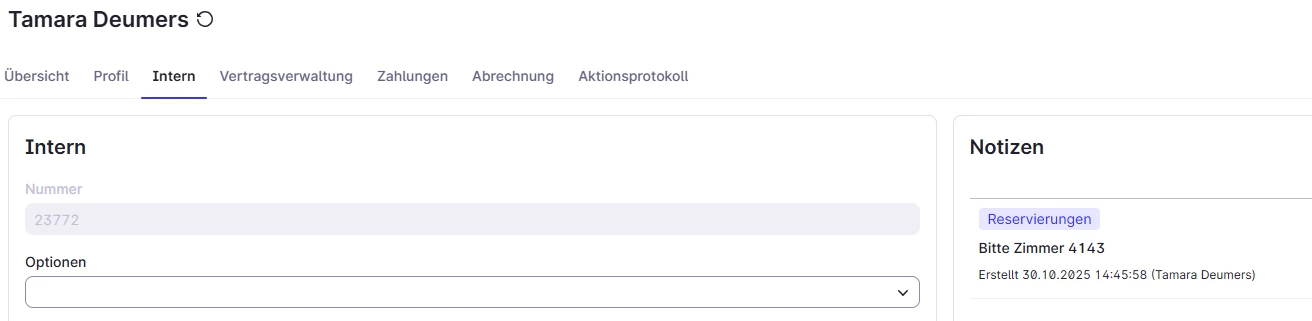
Please also keep the guest profil notes in the report, so we have a quick way to see if any important things may come up. Thanks


nnica
  • Navigator
  • February 10, 2026

Please also keep the guest profil notes in the report, so we have a quick way to see if any important things may come up. Thanks

Tamara that is there you just have to scroll 10 miles down to the right to see it. Don’t forget we need to bring our water bottle with us now in case we get deydrated on the way 😂. On the old report it is right in front of us CONVENIENTLY. @MEWS Also, if you really change to the new report (i really wish you wouldn’t)  at least make the Font colour black and not this light gray as our eyes are literally falling out as we can hardly see the light font on the light background. UX nightmare, whoever is the resposible for this.


Tamara
  • Navigator
  • February 10, 2026

​@nnica I know where the “normal” reservation notes are but in the old report the guest profile notes were also included. Now, not anymore :-( I agree with the black and all the extra scrolling. What I do enjoy though is that all my rates (including my block rates) are now possible to filter. Jeah!


nnica
  • Navigator
  • February 10, 2026

​@nnica I know where the “normal” reservation notes are but in the old report the guest profile notes were also included. Now, not anymore :-( I agree with the black and all the extra scrolling. What I do enjoy though is that all my rates (including my block rates) are now possible to filter. Jeah!

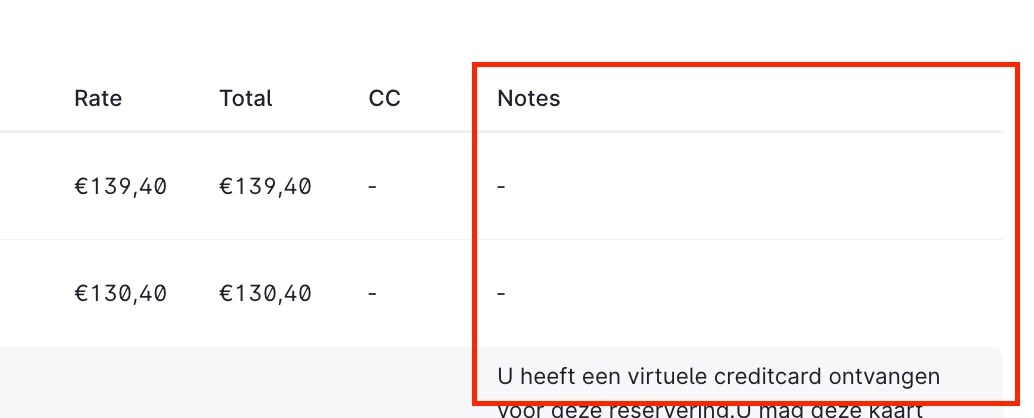
Interesting, I can still see the Notes in the new report but on the very very very very very very very very
. FAR RIGHT (if that is what you mean on the image below)  :((( As you can guess I am absolutely hating the new Report. Awful design in Mews   


Tamara
  • Navigator
  • February 10, 2026

The normal notes yes. But not the notes from the guest profile. The picture below only shows the notes from the reservation. Which in this case is empty.


nnica
  • Navigator
  • February 10, 2026

The normal notes yes. But not the notes from the guest profile. The picture below only shows the notes from the reservation. Which in this case is empty.


Ah I see, we never use that one, sorry.