Hello @AliceB89,
I’m Josue - one of the Community Ambassadors - and I’m happy to help clarify your question regarding space configurations.
You’re right that each physical space in Mews can only have one space category / configuration assigned at a time – there isn’t a native way to make a single room simultaneously bookable as both a “Double” and a “Twin” as separate products.
There are two common ways properties handle rooms that can be either double or twin:
1. Single bookable category (simpler setup)
With this option, you:
- Create one space category such as “Double or Twin Room” and assign Room 1 to that category.
- Use space features (for example, a feature called “Twin bed”) plus internal notes to let your team know how the room is currently set up, and that it can be converted when needed.
- Let guests express their preference (double vs twin) in the booking notes and then housekeeping/front office prepares the room accordingly.
With this option, guests don’t choose a separate “Double” vs “Twin” product; it’s more of an operational choice on your side, but it keeps the configuration very straightforward.
2. Parent / child rooms (separate bookable “Double” and “Twin”)
If you really want customers to see and book two distinct options (e.g. “Room 1 – Double” and “Room 1 – Twin”), the usual workaround is to use nested (parent/child) spaces:
-
Create a parent space for the physical room (e.g. “Room 1”).
-
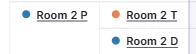
Create two child spaces under it, one configured as Double and one as Twin (e.g. “Room 1 – Double”, “Room 1 – Twin”).
When this is set up correctly, if a reservation is made for one child (say “Room 1 – Double”), the other child (“Room 1 – Twin”) and the parent will be blocked so you can’t accidentally sell the same physical room twice.
The trade‑off is that this increases the number of spaces in your configuration and timeline, and can make operational views and reporting a bit more complex, so we only recommend it if you truly need to sell Double and Twin as separate products online.
I’m sharing our guide - How to set up a parent room? - where you can review more details about this option.
If you’re still in onboarding, I’d also suggest discussing your exact room mix and sales strategy with your Onboarding Manager, so they can help you pick the setup (simple single category vs parent/child workaround) that best matches how you want to sell and operate these rooms.
If you have any questions, please don’t hesitate to let me know! 😎
~ Best Regards,