



Mews BI Pro is an upgraded set of business intelligence tools that go beyond the standard pre-built dashboards available to all customers. They’re designed for teams with more complex and bespoke reporting needs. In this post, we’ll cover what those tools are and how to get started. Let’s get into it.
Who has access to Mews BI Pro?
Customers who previously used Mews Analytics or who are on Enterprise, Portfolio or Brand packages will already have access to Mews BI Pro.
If you don’t meet those criteria but want access tr Pro, it’s available as an add-on. Someone with admin permissions can activate it within Mews (see ‘how to access BI Pro’ below).
What’s the difference between Mews BI and BI Pro?
All Mews customers have access to Mews Business Intelligence (Mews BI for short). That includes 10+ pre-built dashboards, scheduled reports, budget and forecast uploads, easy exports in multiple formats, and the ability to set alerts when metrics pass defined thresholds. With data refreshed every two hours, that’s a powerful set of features. But Mews BI Pro adds some valuable extras on top:
1. Custom dashboards
Every property is different – different KPIs, different ownership structures, different ways of measuring performance. With drag-and-drop functionality, you can build views that reflect exactly how your property works, without needing a separate BI tool or raising a request with your IT team. If your reporting doesn't fit neatly into standard templates, this is where you build exactly what you need.
2. Build your own metrics
Most BI tools give you the metrics someone else decided you needed. With Mews BI Pro, you can build your own. Choose the metrics that matter to you (revenue, ADR, room nights) and the dimensions to cut them by (segment, channel, property), and combine them to fit your business. If the KPI doesn't exist yet, now you can build it.
3. AI executive summaries
Instead of opening dashboard after dashboard, with AI summaries you get one clear read of your property's performance – what's moved, what's trending, any anomalies to investigate and next steps. Useful whether you're preparing for a morning briefing or just trying to catch up quickly.
4. External data connectors
By linking external sources – starting with Google Ads – you can see your marketing performance alongside operational and revenue data in a single view. If a campaign drove a spike in direct bookings, you'll see it. If spend went up and results didn't follow, you'll see that too.
How to access BI Pro
Head to Main menu > Business Intelligence > Overview. If you have Mews BI Pro, you’ll see the AI executive summary at the top of your Overview page.
To learn how to build a custom dashboard, click through this interactive tour or take a look at our help article.
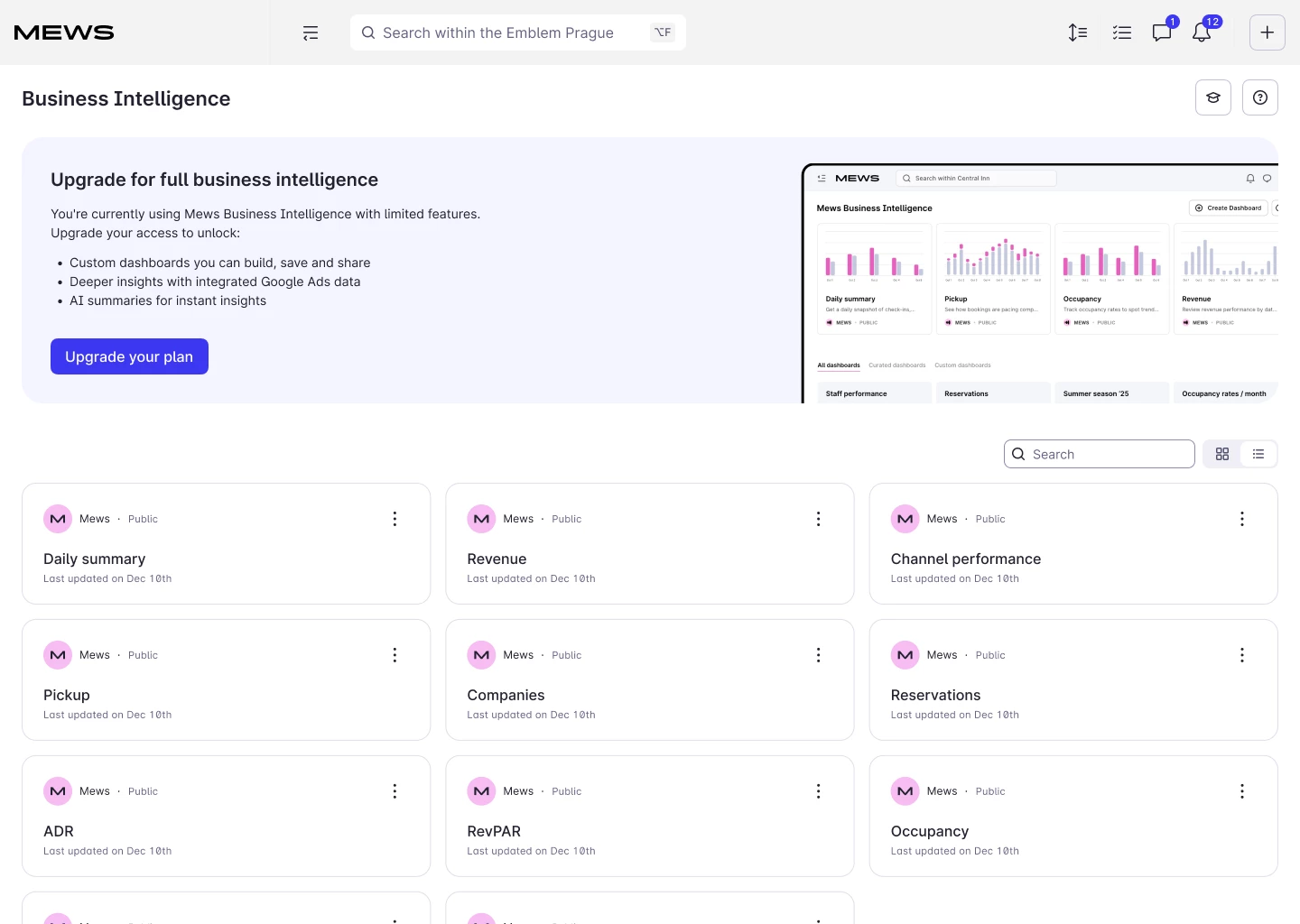
To upgrade to Mews BI Pro, simply go to the Overview page and follow the steps (image below). Remember, only users with admin permissions can activate it.
Questions?
That's what this community is for. We have a dedicated Mews BI Q&A post where you can see what other hoteliers are asking and pose your own questions.