Hey,
From our experience at least, no. We just get the immediate warning ‘We are still preparing your stay’ or the ‘Not ready to check in’ message.
Please enable this for our hotel - Hermiston Inn & Suites
mauritsbots wrote:
Question, why are the names of the kiosks nót updating? We only see thesame kiosk names whilst we have created a new one and renamed the excisting one.
any news on this? i also opened a ticket with support #00547935
Hello everyone, this feature should now be available for everyone, so long as you are on the latest kiosk version. Please double check you are on the latest version.
For those of you for which you’ve been able to use it, we’d love to hear some feedback, or if you can share any videos of photos of it in action that would be great!
Dear @jon.johannsson
I agree with the delay on the availability of the kiosk.
One of the most important features is still missing. The possibility to have a guest fill in the registration card, even if the room is not ready.
Apart of this it seems to work fine once the update on the kiosk app is made.
Cheers
Dear @leguggi
I absolutely agree with you that an important feature is currently missing: the ability for guests to complete the registration card even if the room is not yet ready.
Having this option would be extremely helpful and is urgently needed. It would significantly streamline the check-in process and greatly improve the overall guest experience.
I believe that all Mews users would be very happy if the implementation of this functionality were prioritized. @jon.johannsson
Thanks for feedback on the registration card, I’ll talk to the team responsible and see if there’s something we can do to prioritize it.
This is a great improvement! My staff loves this! 
Hi all anybody here who actually uses this functionality on a daily basis? we basically encouter the situation the most (still) where a receptionist is either at the desk, and find the correct reservation for a guest in the moment (using staff mode), ór we have a receptionist walking around in the lobby, using the tablet in staff mode, and also here its quite appearent that the guest is found in the moment on the tablet.
Hotels are asking me to come up with a different workflow but honestly im struggeling a bit. Can you share how you are using this particular functionality ? what works, what does not? Very much appreciated!
Hello Maurits,
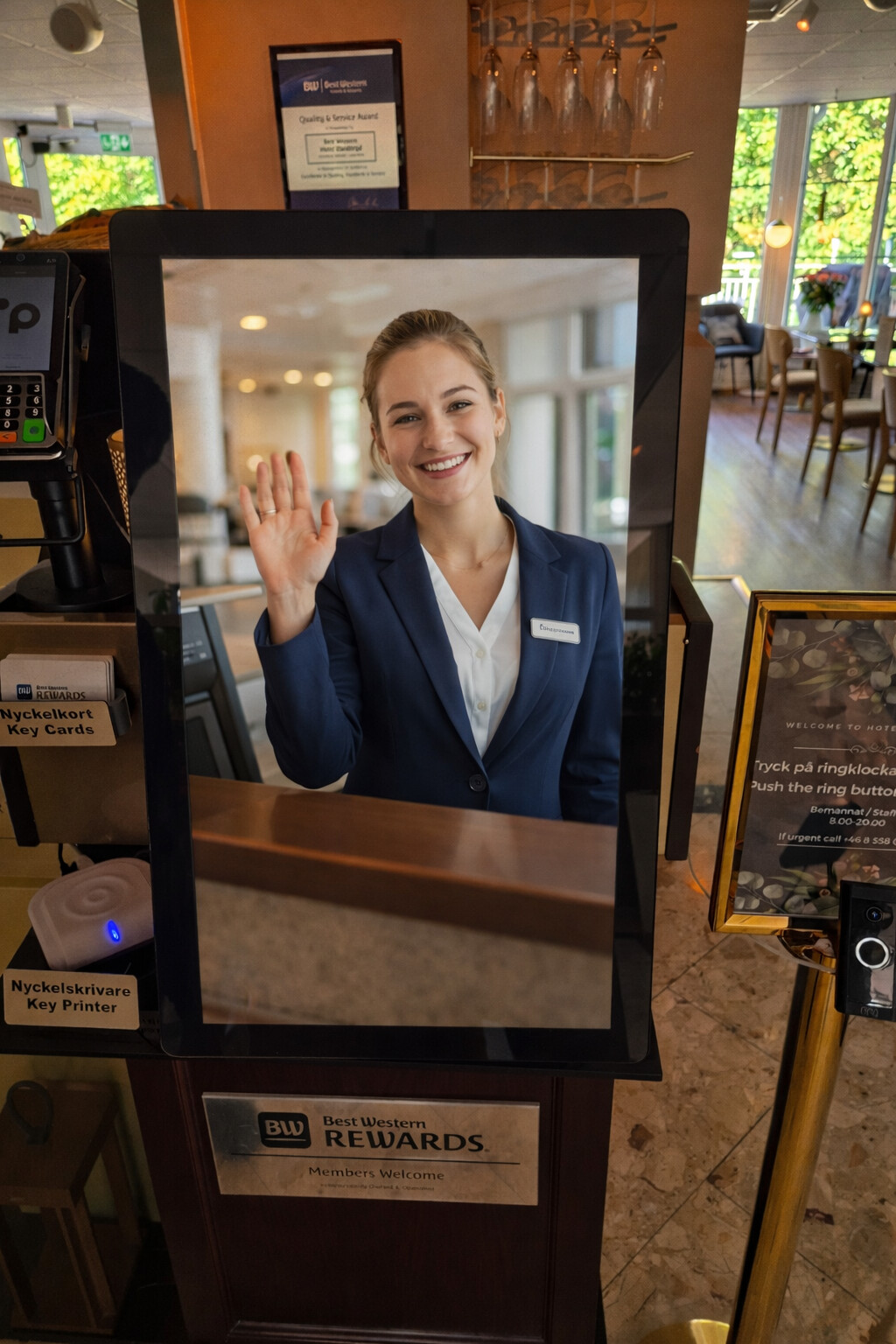
I think it would help to have a touchscreen installed facing the guest at arrival at the Front Desk. In this scenario, the Front Desk agent takes the guest’s name, confirms the booking, and kindly asks the guest to continue the registration on the tablet facing them.
We have activated the kiosk adjacent to the Front Desk, so the guest can complete the check-in process independently, including payment and key card issuance. From an educational perspective, if this is a returning guest, there is a high chance that he or she will use the kiosk next time without needing assistance from the Front Desk.
In this way (at least for us), the Front Desk staff can add more value by acting as hosts rather than simply handling payments and issuing key cards.
so you have a (fixed) kiosk installed at the same desk as the receptionist? are people not too much engaging with the receptionist than? can you share what that looks like?
Sure, we have decided to go with a larger touchpad so it is more visible to guests entering the hotel. We also have clear signage showing where the keycards and the key cutter are located.
The front desk agent will be behind the counter and have a screen with Mews open. The photo was taken before we started using Mews, when we had a different solution.
With Mews, the setup works much better, even though I personally don’t believe a small pad is quite “in your face”  enough for a proper kiosk installation. In my opinion, a larger touch screen works much better.