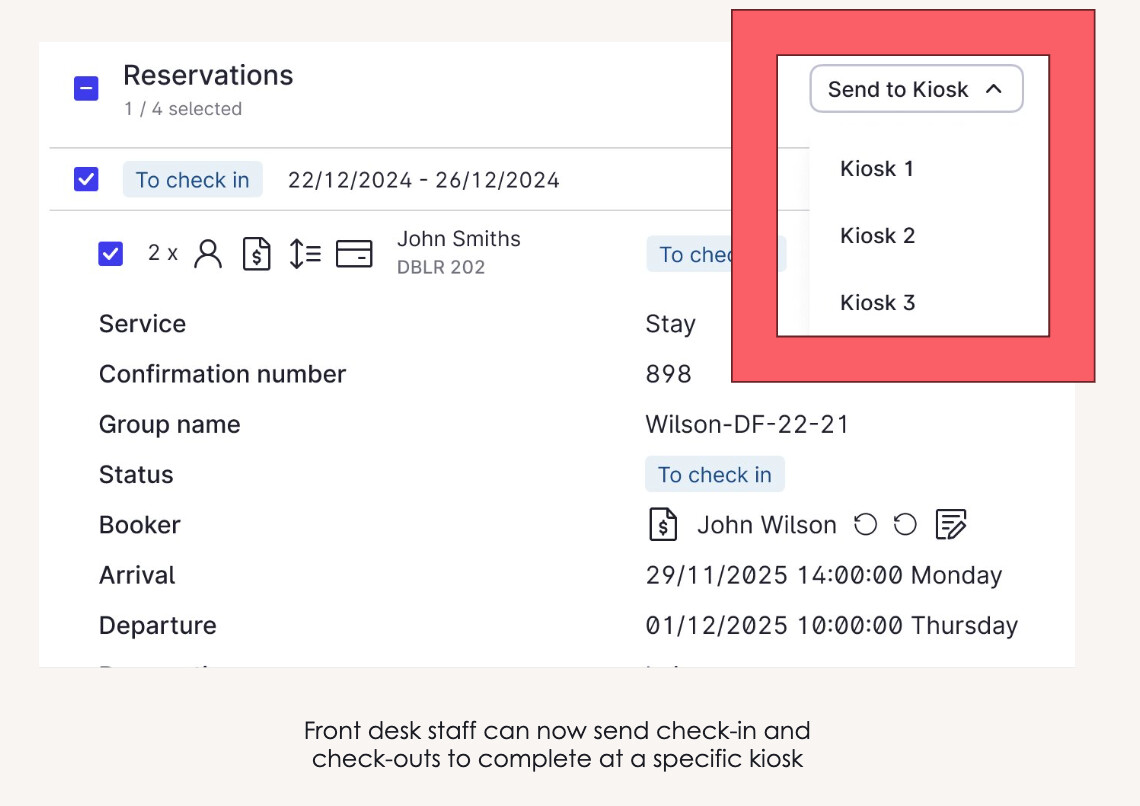
Have a long queue of guests either trying to check in or check out and have a few kiosks available for guests? Now you can use all your available resources to manage the check in and check out flow of your guests, simply send a reservation you are working on to any available kiosk.
How to send a reservation to Mews Kiosk
Go to Mews Operations and open the reservation you want to send.
Scroll to the Spaces section of the reservation.
Click Send to Kiosk next to the assigned space.
Note*: Only reservations with a status of “To check in” or “To check out” can be sent to Mews Kiosk.*
Once you click on the kiosk you want, the reservation will appear on the kiosk. You can now direct the guest to the kiosk to complete the process.
After you send a reservation:
The kiosk displays the selected reservation and allows the guest to check in or check out.
The guest completes required steps such as confirming details, signing registration cards, or making payments.
The reservation status updates in Mews Operations once the process is complete.
If you are interested in signing up to try this feature before release, simply respond with the name and location of the property you wish to enable it for. And always feel free to share comments, feedback, or issues with us here in this post.
Hi Jon, can you please activate this for the Meiser Hotels?
Meiser Design Hotel
Meiser SPA Resort
Meiser Altstadt Brasserie
Thanks
@Kathi zur Info - ich denke dann suchen wir bei Anreise nicht immer manuell die Gäste am Tablet und einer kann leichter und schneller mehrere CI gleichzeitig handeln.
Just what we needed! Please add the following hotels:
Bilderberg Hotel de Keizerskroon
Bilderberg Parkhotel Rotterdam
Bilderberg Garden Hotel
Bilderberg Europa Hotel
We are launching Kiosks the coming weeks to some additional hotels, can you add those already (have not set up the Kiosks in Mews yet)? Or should I contact you once I created them? That goes for: