Hi everyone, I’ve passed on your questions and will get back to you as soon as I receive feedback. Thank you very much for your patience.
Hello,
As time is running fast, I have already had my own discussions with team members at Mews to get a full understanding of what Mews is actually doing in this “fix.” According to Mews, “The script runs periodically to swap the old products for new split component products. The script does not work on product rules. It scans reservations for old products, and if it finds them, whatever their source (product rules or manually added), it replaces them with the components.”
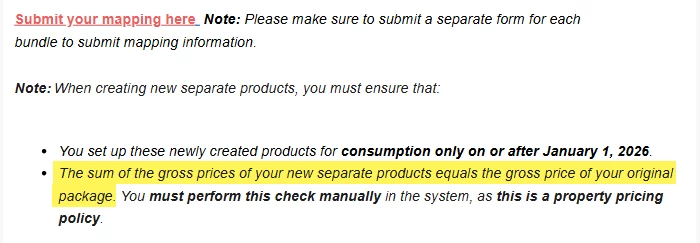
My understanding of the above is that product rules are not replaced, nor are the products added through the channel manager integration. As a result, the incorrect products will continue to be added. Mews also informed us that the two new products must have the same price as the one old product. This means that properties will not be able to update their breakfast price for 2026 until the script has been run and has swapped out all old products. The script is, as mentioned, run “periodically,” but I do not know what that means in this context.
In conclusion:
Does running a script fix the problem short term? Yes.
Does running the script solve it long term? No.
A long term solution would be to create the two new products (ensuring that their total value matches the one old product, both with 19 percent VAT, then using the “Update Tax Item” functionality when the VAT rate actually changes on food products). Instead of relying on a script, existing product rules should be manually updated by setting the action to “Cancel” for the old breakfast product and “Add” for the new products. The product rules should then, with the help of the Mews team, be triggered to update all existing reservations.
The script would then serve only to replace products posted directly on the billing screen, such as an external breakfast, if this is even posted in advance.
When handled this way, once the product rule has been triggered and all existing reservations have been updated correctly, the property can update the breakfast price on the new products however they choose for 2026, without the risk of changing the total price.
I have tested my approach at one of our properties. We use product rules extensively, and I had to manually trigger all future reservations one by one. It took me a full day to do this manually, but the end result was what I expected. Triggering the product rules on all reservations took a long time. If Mews would assist by running the job for the product rule update, this would not require much more effort than creating the new products and updating the product rules.
A huge time saver would have been my feature request to allow setting start and end dates on product rules with different conditions. Please consider giving it an upvote if this would help you as well: https://feedback.mews.com/forums/918232-property-operations-pms/suggestions/50046567-start-end-date-functionality-in-product-rules