Hi @nienke.wilbrink,
nothing more to add. Gotta agree with Linus and Matthias.
Regarding question number 3, we would also like to have the card type mentioned on the credit note.
Greetings,
Eric
Hi @Eric_Kroll ,
Thank you for your feedback and confirmation of the above statements. Extremely useful.
I will make sure we will comply with your needs as much as possible!
Warmest regards,
Nienke
Hi Nienke,
we’re so happy that this feature finally is coming. We can’t wait to use it! That will make things so much faster and better. My team will freak out! How long will it take to release? count me in for beta please
Hi all!
Hope you’re doing well. Once again, thank you ever so much for the extremely valuable feedback provided on my questions above. We have taken your feedback on the Address change flow and changed it slightly.
One question I would like to ask, would you agree the order is correct: Guest details - Company details?
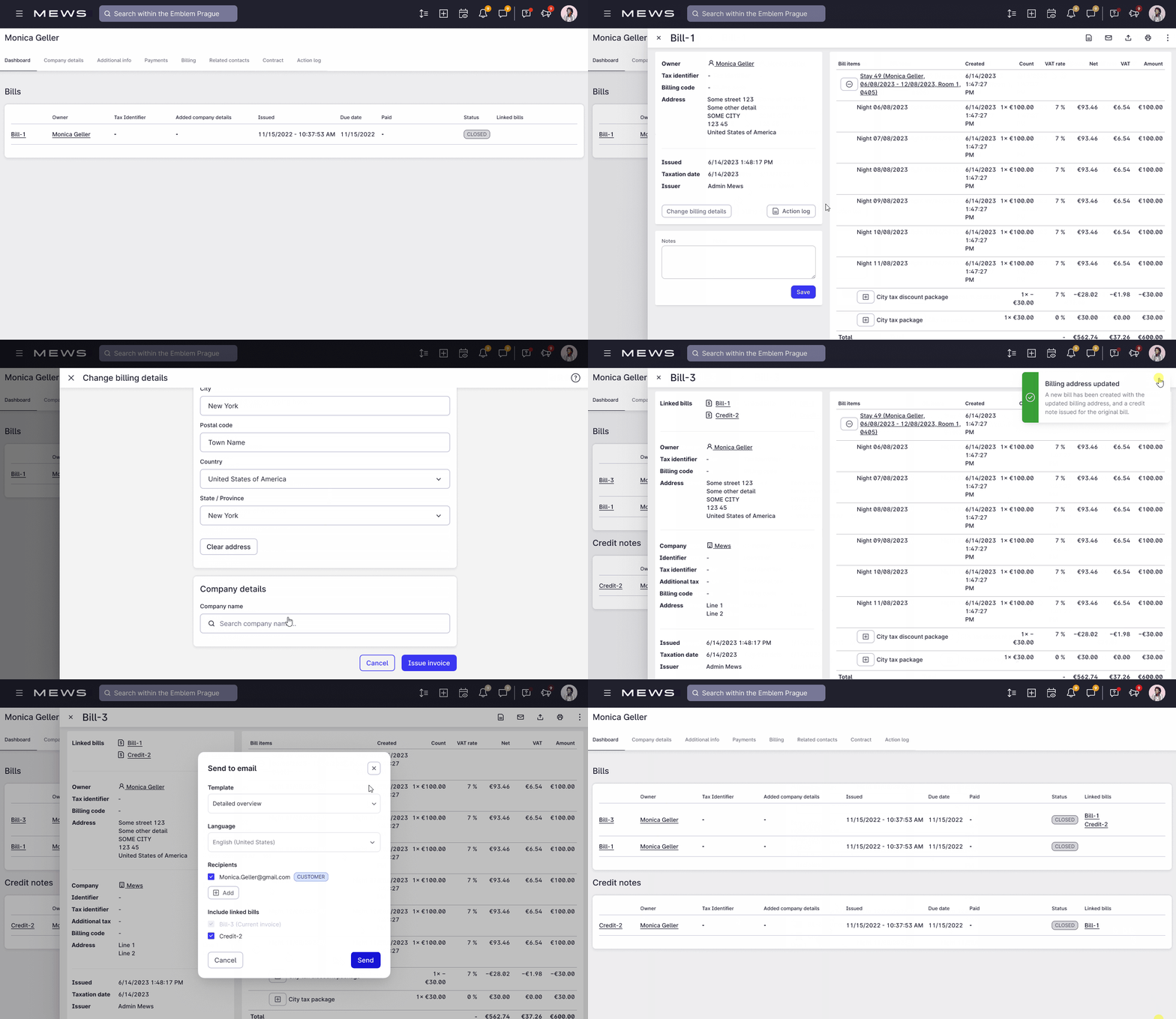
Of course, always happy to hear any other thoughts you have on the following:
Looking forward to hear!
Warmest regards,
Nienke
Hi @nienke.wilbrink,
This looks great. For us it would make sense to have the company details first and then the guest details, as the most requested change is to add company details to an invoice.
Perhaps someone else has a different idea?
Hi @MatthiasH @Eric_Kroll @Egon_Lagrou @barb00sa @Linus.Bihn @Milou, @Mariusz_Siwkowski, @c.rex and others,
Hope you are all doing great!
I would like to inform you that within the upcoming 2 weeks, we would like to slowly start Demo testing. The feature is not ready yet, and there’s a lot of developing work to do still; however, I would love to already hear some of your feedback when clicking through the feature.
Please let me know if you would be interested in doing so 
I will make sure to provide some testing steps when closer to date. The testing will mainly involve testing of the steps and reporting of products, payment and revenue.
Looking forward to hearing from you!
Warmest regards,
Nienke
Hi Nienke,
For sure we would be interested in testing this.
Hi @nienke.wilbrink,
I would certainly like to test this.
Would it be possible to only allow this with a certain employee permission?
Warm regards from Bruges,
Matthias
Thank you @Milou and @MatthiasH for your swift reply!
I will keep you updated via either email or here in the community
To get back to your comment @MatthiasH, would you be able to give me more information about why this is needed and as well who should get this permission and why? Looking forward to hearing!
Warmest regards,
Nienke
Nienke Wilbrink wrote:
Thank you @Milou and @MatthiasH for your swift reply!
I will keep you updated via either email or here in the community
To get back to your comment @MatthiasH, would you be able to give me more information about why this is needed and as well who should get this permission and why? Looking forward to hearing!
Warmest regards,
Nienke
Hi Nienke,
Absolutely! For me it would only be during the testing phase until we’re sure that everything is working as it should (reporting and accounting wise). Once we can confirm that everything is working well, all staff with invoicing/payment privileges can be included in the testing. If no special permission will be added, we can instruct staff on our end.
Great to hear that this feature is doing process.
Of course we are ready to test this whenever your ready
Hi @nienke.wilbrink,
happy to help and test in any way that we can.
Glad to give it a spin once possible.
Greetings,
Eric
Hi @nienke.wilbrink ,
hope your doing well.
Do you have any update in here? We are excited to test this feature asap
Hi @MatthiasH @Eric_Kroll @Egon_Lagrou @barb00sa @Linus.Bihn @Milou, @Mariusz_Siwkowski, @c.rex and others,
Thank you Linus for your question above!
And sure thing, I’m happy to share an update with you with regards to this 
We have been working on building the flow (starting off with address change), but also to eventually be moving towards item changes in the future for closed bills and invoices.
We have kicked off testing with Accounting software partners and internal testing. Our next step would be to start testing in Demo environments. For this, we will need your help  Would you please be able to let me know if you would be interested in testing the feature in your demo? If so, would you please be able to leave your demo account NAME.
We are not fully ready to kick off testing yet, as we are finalising some key points still, but I will be able to already have you testing the feature to share initial feedback on the first parts of the product.
What is ready to be tested?
What is not yet ready?
If you have any feedback, please feel free to reach out to me via a private message 
Looking forward to hearing from you!
Warmest regards,
Nienke
Hi Nienke, we would like to test the feature @ paulinenhof Demo
Enable it at any time for this demo → Styles Hotel Frankfurt Airport 2
I think our effort/push is now getting heard and reality 
Hi Nienke,
Glad to hear that we’ve reached the testing fase.
Please enable it for us as well.
Demo account: The Pand Hotel
Name of demo is same as the main account.
Hi @MatthiasH @Linus.Bihn @c.rex ,
Thank you for your interest in testing this new functionality!
Please be informed that I have enabled it to the Demo accounts as requested
I am greatly looking forward to your feedback! As mentioned previously, this is still a feature worked on and is not finalised yet.
What I would love to focus on in this stage is the functionality the address change offers and the flexibility of it, and the reporting of items and payments (not yet card payments). For more information, please refer to my message above.
Unsure how to start?
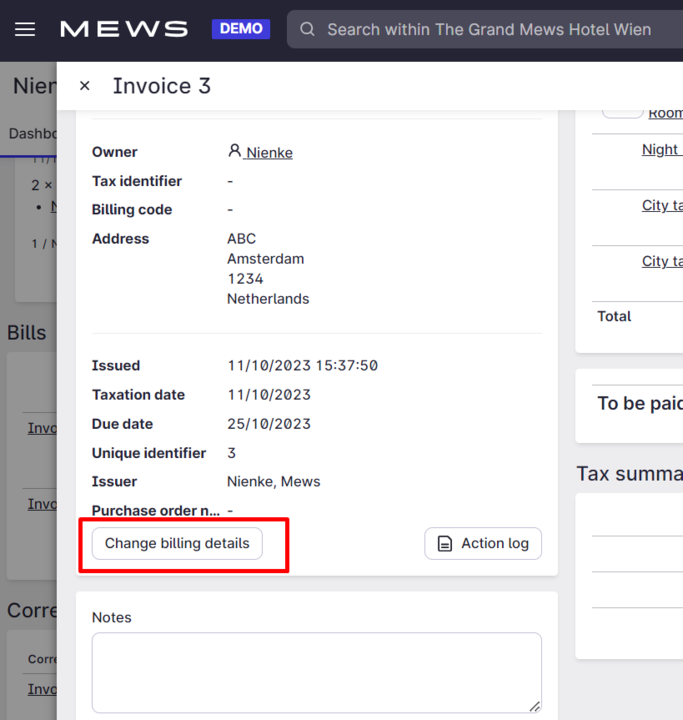
Please do not hesitate to reach out to me with any questions you might have! Please feel free to send me your feedback either in an email or with a direct message here in the community.
Looking forward to hearing your feedback!
Warmest,
Nienke
Thanks for activating in our demo
Linus.Bihn wrote:
Thanks for activating in our demo
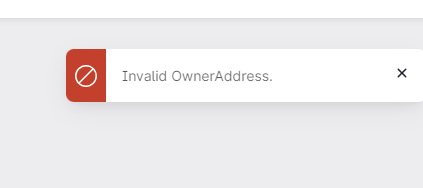
- I have done some tests but the blling adress doesnt get changed. Meaning the new corrected invoice does not provide the new company details. Or is this due to any different layout settings in dem? You can find the 2 samples in our demo. Feel free to reach out or send a mail in any questions
- Does this only work if the profile have a full adress?
Hi @Linus.Bihn ,
Thank you for testing the feature.
It seems indeed that you have found a bug in the form unfortunately.
We will look into the functionality once again with the team of developers
To my understanding:
Would you expect the form of address change to work similarly to the form you see in the screen recording below?
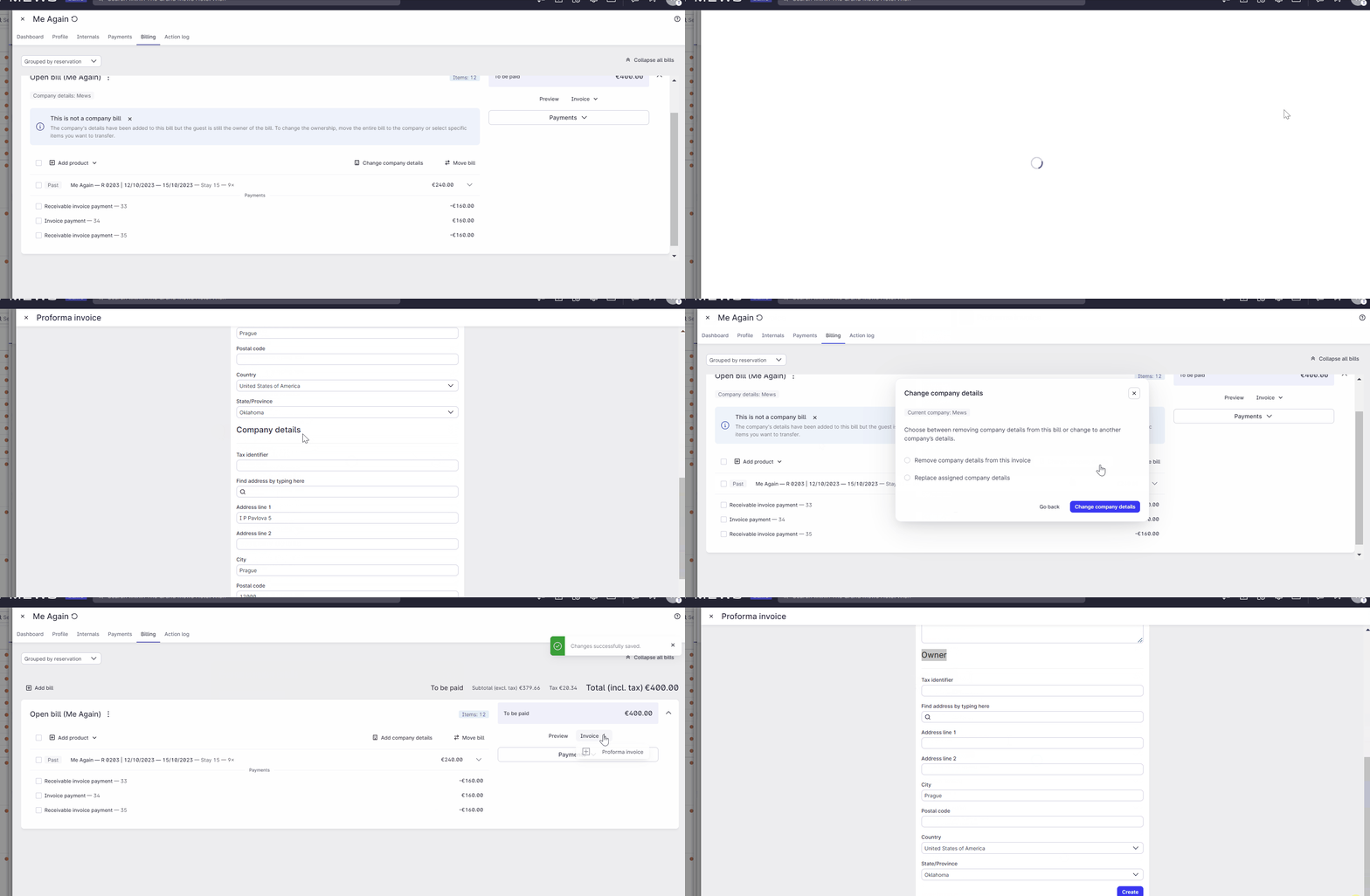
Hope to hear!
Warmest,
Nienke