The new way to create professional guest emails in Mews

Hey Mews Community,

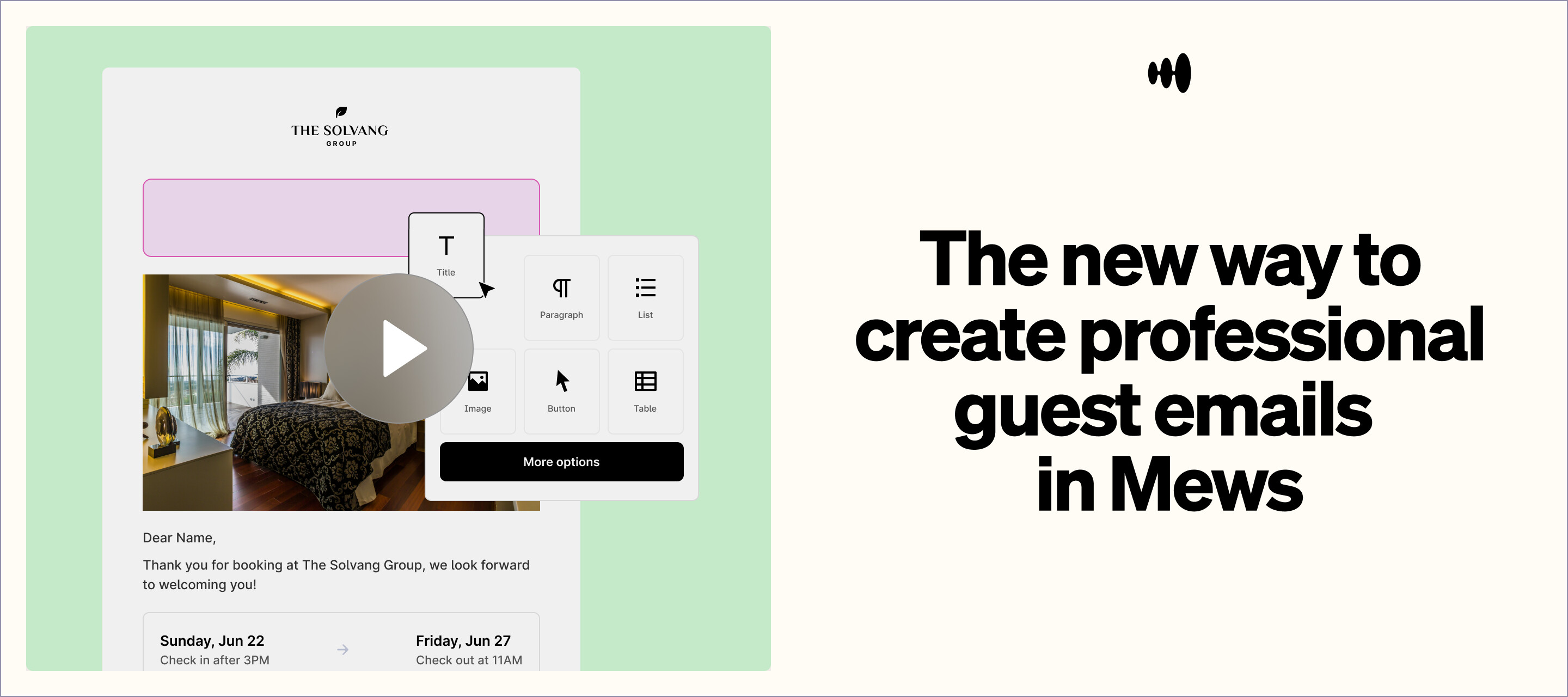
Starting next week: brand-new default email templates and an intuitive drag-and-drop editor :tada:

We know exceptional guest communication is key. So, we’ve rebuilt our email solution from the ground up, making it easier to use and more impactful than ever.

https://mews.wistia.com/medias/tdrup82xo7

:glowing_star: What’s behind the change?

We heard your challenges loud and clear. Managing emails can be fiddly with traditional HTML templates. So, we’re simplifying things.

Our new templates have a fresh, modern design that looks good, is accessible (WCAG compliant) and optimized for all devices. That means your guests enjoy the best possible experience from the first touchpoint.

We’ve also introduced an easy-to-use drag-and-drop editor, so anyone on your team can create and customize emails without any coding knowledge.

:hammer_and_wrench: What’s new & improved?

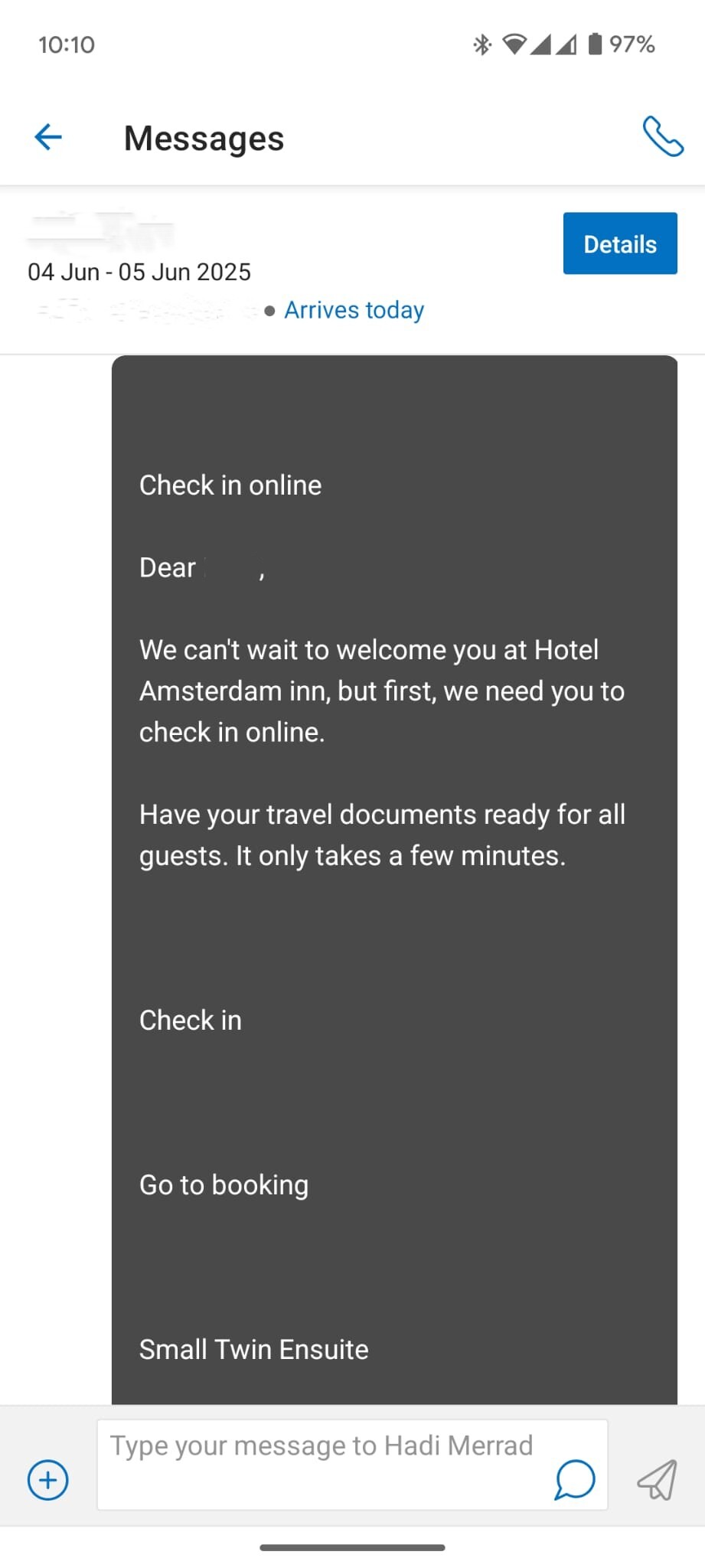
Here’s what you can expect:
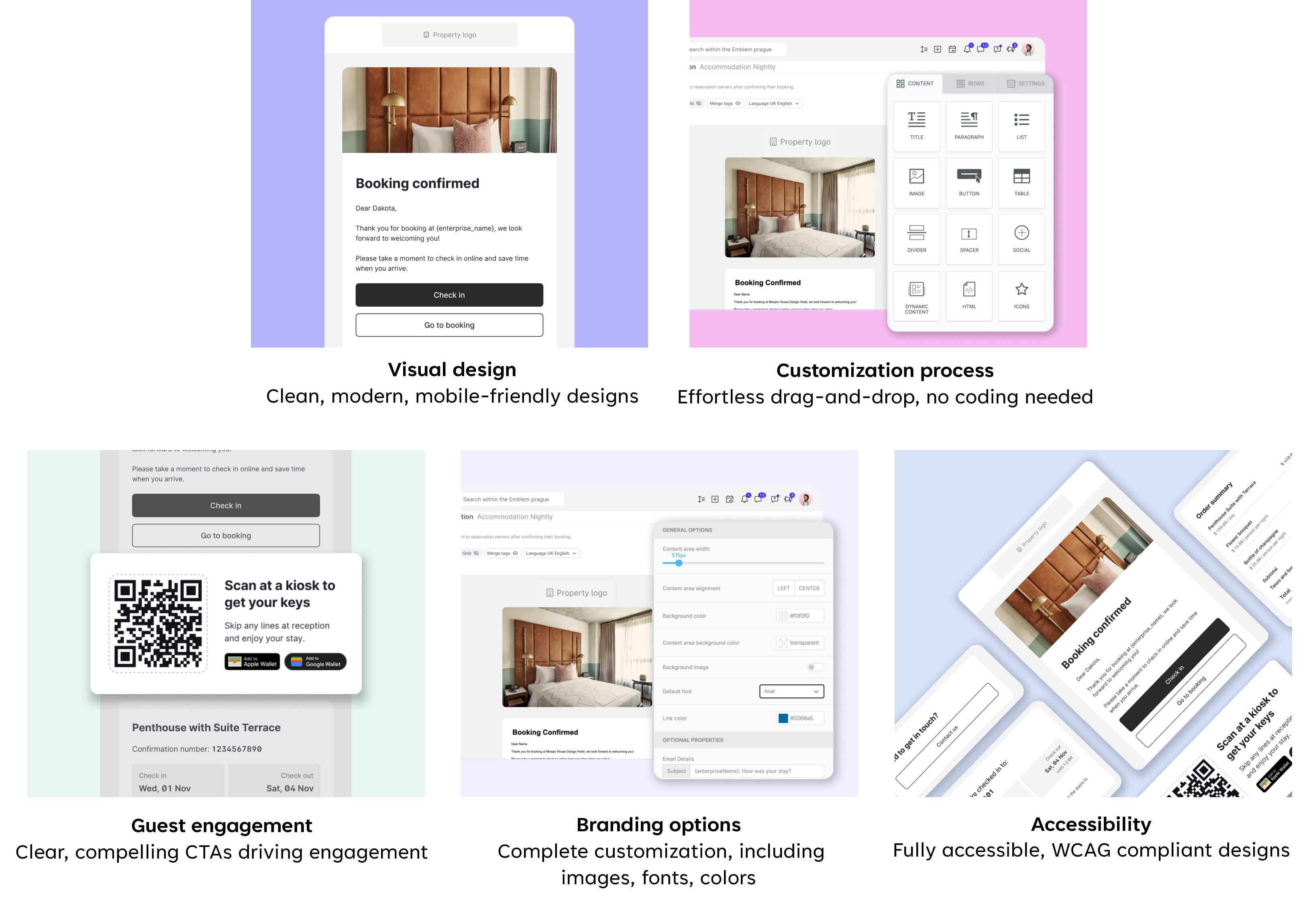
### :bullseye: Why you’ll love it

Our new email templates and editor mean your team can create branded, engaging emails with no technical expertise. You can quickly adapt emails to reflect your unique brand identity, make guest communication easier to understand, and drive additional revenue opportunities with more engaging interactions.

:red_question_mark: Your top questions answered

What happens to my existing templates?
Custom templates remain unchanged. Default templates will automatically adopt the new design.

How can I use the new editor if I have a customized template in the old one?
You can save the existing HTML code in a file of your text editor of preference in your device and delete the old email customization, in the old editor. That email type will then be automatically moved to the new editor where you can create a new one.

:warning: Heads-up: If you try pasting your old HTML into the new editor, some formatting might not carry over cleanly. Also, some of the old placeholders may no longer work and need to be replaced by the new ones available.

Is HTML editing still available?
Yes, advanced HTML editing is still an option as well as the new drag-and-drop tools.

How do I access the new email editor?
Head over to Mews Operations → Settings → Guest Experience → Mail Templates and dive right into editing.

Can I preview changes before the update?
Absolutely! Check out the detailed comparison available here.

We’re excited to see how these new tools help make your guest communications even better. Drop your questions, comments or feedback below, we’re all ears!

Cheers!

Thats awesome. Another really great improvement for this area would be to have an information if the mailing is currently enabled or not … these emails can be adjusted in different areas of the mews settings and there is currently no good solution to know if these are active or not. you have to search through the options for every single one of them to find that out.

Hey ​@ettore.zotarelli !

The revamp is looking great.

Before these go live, could you please clarify the handling of the contact buttons in the updated templates? Specifically:

  • Can we remove these easily without having to edit all templates one by one?

  • If not, do they direct users to a general contact page?

Since we use our own custom check-in flow, we want to avoid directing users into the MEWS check-in process.

Also, is there a bulk update option available for MPM users? It would be helpful to avoid manually updating templates property by property.

Thanks for clarifying.

Thanks so much! :raising_hands: Super cool to hear you’ve been using it for two weeks and already loving the change! :tada::rocket:
Way better than before – that’s exactly what we aimed for! :smiling_face_with_sunglasses::ok_hand:
If you’ve got any feedback or ideas, hit us up anytime! :speech_balloon::sparkles:

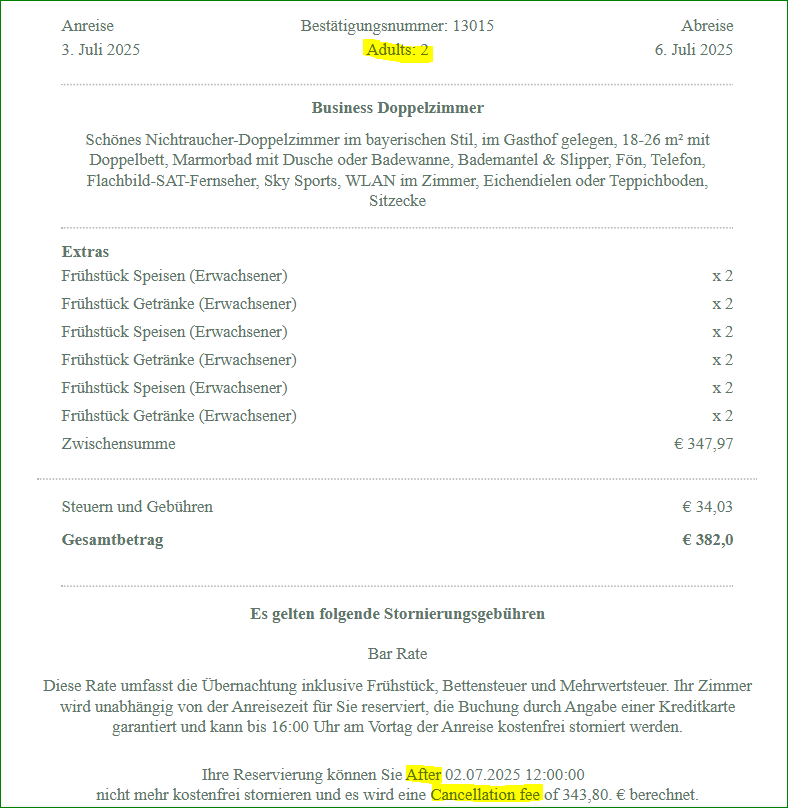
The new templates are great and are already working for us. I only have one question, we currently still have translation problems with the German version, for example: Adult and with the cancelations. These are still displayed in English. I think that will be fixed, right?

Kind regards

Mathias

Hey! Really enjoying the new template but for us the links on OTA’s are not working anymore and previously with the previous template the link were working fine. ​@ettore.zotarelli Can you please advice on this?

Thank you!

Mathias Rajczak wrote:

The new templates are great and are already working for us. I only have one question, we currently still have translation problems with the German version, for example: Adult and with the cancelations. These are still displayed in English. I think that will be fixed, right?

Kind regards

Mathias

Hi ​@Mathias_Rajczak ! Can you share which hotel and which email types it is? I’ll have a look

​@adriancoene thanks for sharing. in theory if it worked for the old one it should work for the new - because we are using the same hyperlinks in both of them. Have you allowed listed the links in your booking.com extranet? And can you confirm that until the switch the new emails they worked? Is anyone else seeing this from other properties?

​@Femke there is no multi property or bulk edit functionality on this yet, but you can remove the elements that you want one by one or change the hyperlink behind them to a page of your choice, such as your own website. We’re making note of those improvement request for the future so thank you!

ettore.zotarelli wrote:

Mathias Rajczak wrote:

The new templates are great and are already working for us. I only have one question, we currently still have translation problems with the German version, for example: Adult and with the cancelations. These are still displayed in English. I think that will be fixed, right?

Kind regards

Mathias

Hi ​@Mathias_Rajczak ! Can you share which hotel and which email types it is? I’ll have a look

​@adriancoene thanks for sharing. in theory if it worked for the old one it should work for the new - because we are using the same hyperlinks in both of them. Have you allowed listed the links in your booking.com extranet? And can you confirm that until the switch the new emails they worked? Is anyone else seeing this from other properties?

​@Femke there is no multi property or bulk edit functionality on this yet, but you can remove the elements that you want one by one or change the hyperlink behind them to a page of your choice, such as your own website. We’re making note of those improvement request for the future so thank you!

​@ettore.zotarelli Yes, the old one is actually still working because in the confirmation we still have the old set up and for the online check-in email I’m using the new templates but there is not working or do I have to put the hyperlink as text?

adriancoene wrote:

ettore.zotarelli wrote:

Mathias Rajczak wrote:

The new templates are great and are already working for us. I only have one question, we currently still have translation problems with the German version, for example: Adult and with the cancelations. These are still displayed in English. I think that will be fixed, right?

Kind regards

Mathias

Hi ​@Mathias_Rajczak ! Can you share which hotel and which email types it is? I’ll have a look

​@adriancoene thanks for sharing. in theory if it worked for the old one it should work for the new - because we are using the same hyperlinks in both of them. Have you allowed listed the links in your booking.com extranet? And can you confirm that until the switch the new emails they worked? Is anyone else seeing this from other properties?

​@Femke there is no multi property or bulk edit functionality on this yet, but you can remove the elements that you want one by one or change the hyperlink behind them to a page of your choice, such as your own website. We’re making note of those improvement request for the future so thank you!

​@ettore.zotarelli Yes, the old one is actually still working because in the confirmation we still have the old set up and for the online check-in email I’m using the new templates but there is not working or do I have to put the hyperlink as text?

Can you share with me a screenshot of what you see in Booking.com from the old one? Feel free to email me directly it at [email protected] - our team is checking why the discrepancy is happening. There may be a text fallback for when the email is stripped of all its customization that we are missing. Thanks!

​@ettore.zotarelli I’m still trying different ways to see if the link works, if I can’t resolve it I’ll email you.

Thank you for sharing your personal email!

​@ettore.zotarelli

Thank you, it is the Brauereigasthof Aying. Unfortunately it is the same with every email, regardless of the email address.

Best regards

Mathias

Mathias Rajczak wrote:

​@ettore.zotarelli

Thank you, it is the Brauereigasthof Aying. Unfortunately it is the same with every email, regardless of the email address.

Best regards

Mathias

Hi! I meant which email type, is it confirmation for example? before check in? Thanks!

It is the confirmation and with the offer so.

Let me show you an example:

best regards

Mathias

​@ettore.zotarelli I’m loving the update, and the new possibilities for conditions on content blocks.

However, not being able to duplicate templates across services is a big issue for us!
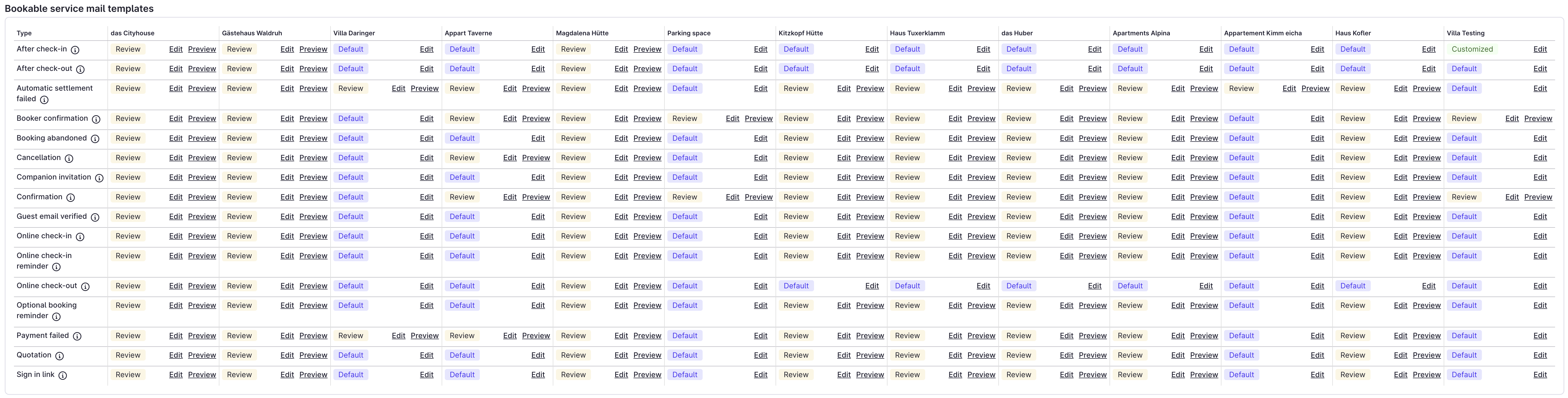
Please have a look at our setup, each of these bookable services should get the same template, translated in three languages.

We have 13 bookable services. Are we going to have to edit 208 templates manually? And then translate them manually 624 times? And then wait 1 hour after each edit to check and possibly adjust?

My marketing department has just left the building, crying. Please let me know if there is going to be a solution for this.

​@Mathias_Rajczak we do see the same issues here. hopefully there will be a solution shortly…

​@adriancoene ​

Booking.com usually does not display links in buttons properly, especially when viewed in their guest app. We’ve had issues with this as well.

We try to send out the link in text, which works better. Except the link that Mews gives is sometimes over 200 characters long, so it doesn’t look so good.

andreas wrote:

​@adriancoene ​

Booking.com usually does not display links in buttons properly, especially when viewed in their guest app. We’ve had issues with this as well.

We try to send out the link in text, which works better. Except the link that Mews gives is sometimes over 200 characters long, so it doesn’t look so good.

​@andreas Thanks! we manage to resolve it but yes indeed the link is big and it doesn’t look so nice but at least they can click on it.

Hey ​@ettore.zotarelli , I noticed that the default payment request templates no longer include the custom information we add to the payment requests. Would it be possible to have that information included again in the default template?

Hello,

We cannot work out how to copy the templates to paste to another service or another property, how can we do this?

Thanks.

​@ettore.zotarelli Hi Ettore,

is there any chance we can set up a fall back, so if the guest is non german speaking like for example Chinese and we have not translated the template to receive it in englisch rather than german?