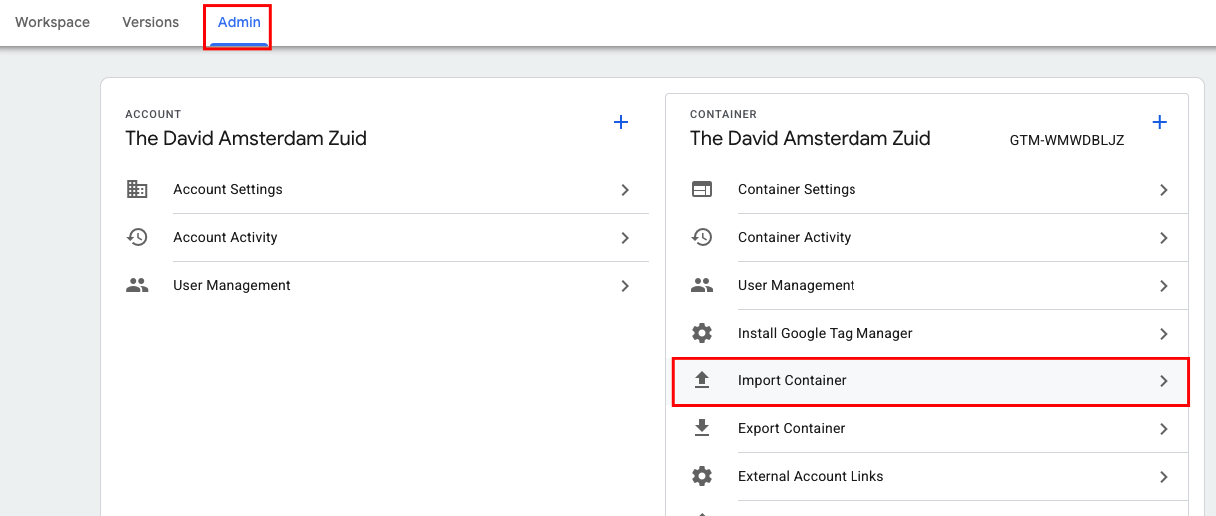
Hey @Hendrik_Renken and @Ethros sorry to hear you’re stuck on this one. I feel your frustration as I’ve had to go something similar recently and got a little tangled!
Have you seen this article? It was updated only a few weeks ago according to GA4 changes and looks to have more detail than the gitbook article you reference.
Let me know how you get on.
Hi @Ethros , this is Milan from the Mews Connectivity team. You can use the same Google tag manager ID for multiple Mews Booking Engines and then in GA4 setup use the hotelName data layer variable to filter which property are the data coming from.
Over 60%+ of our online revenue is being tracked to the Direct channel in GA4 which is very different from what we saw using Universal tracking. Also, under the Pages/Screens reporting, we’re getting 70%+ of our bookings tracked to /confirmation and /distributor/c496d99e-ef2a-4867-ab43-aef200f5b9c3 URLs which is impacting how we’re able to evaluate the effectiveness of our website pages. Has anyone had any luck getting these issues sorted out? I’ve confirmed our tracking is setup correctly per the updated article mentioned above.
Hey everyone!
Has anyone managed to solve this problem yet? We’re still not achieving satisfactory results, and I’ve dedicated around 40 hours of my time trying to figure it out on my own, but unfortunately, I haven’t been successful!
I’m currently in search of a freelancer who can assist us in setting this up. While I can find individuals skilled in using Google, I specifically need someone who is also knowledgeable in MEWS. Do any of you happen to know someone?
sorry for the delay in our response, the Christmas break slowed us down a bit, plus this topic is really not the easiest
We just had an internal talk and you will be contacted soon by someone from product/tech.
Quick heads-up: If you hit a roadblock with a tough question, don’t hesitate to contact support. The community is great for best practice and less technical questions, but if things are not moving and an issue is blocking your smooth operations, support is your go-to.
@Ethros hey! So sorry it’s taken us a while to get back to you on this!
I’ve read through the thread but I think I need a little more information from you to understand exactly what’s going on here and support you best. Please use this link to book some time with me and we can chat in more detail about the issues you’re facing and look into resolving them.
I am here to follow the topic because we are experiencing the same issue.
I filed a support request with an indentifier 00285388 regarding this topic.
In a nutshell, I have set up everything in GTM and GA according to the updated guideline, and I see all the traffic and hits registering properly in Google Assistant. However, the data does not get transmitted into Analytics.
The home page of our hotel uses the same GTM-tag and sends data properly, and I have successfully done this configuration to other projects as well. That’s why I think it might be something Mews related.
Looking forward to hearing from any solutions for this topic and/or very willing to look at our setup with a Mews tech person!
Has anyone had any success with this yet? We have been able to set it up to see when a purchase is confirmed but not getting the fully information into the ecommerce reporting section of g4 which is what we would like.
And we spoke to someone in support who I believe said we could set-it up as above without having to add lots of custom events and user-defined variables. Also the advice above doesn’t seem to cover what you are saying about a specific tag for purchases?
Would it be simpler if we just tried to reinstall tag manager using your skeleton? https://docs.mews.com/booking-engine-guide/integrations/gtm-skeleton. And if so - re point 2 - would the ga4 tracking id to use look like this G-1XXXXXXXXX? Would this ensure everything is set to publish all data into the ecommerce section of ga4?

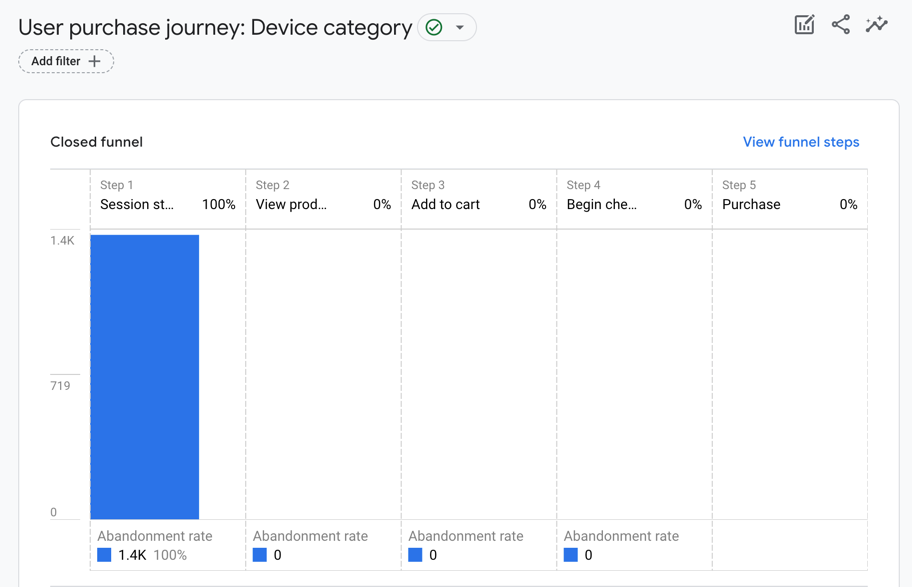
 ugh → there must be a solution, and that we, probably the smallest hotel on the platform, are not smart enough to figure out! LOL!
 Also, under the Pages/Screens reporting, we’re getting 70%+ of our bookings tracked to /confirmation and /distributor/c496d99e-ef2a-4867-ab43-aef200f5b9c3 URLs which is impacting how we’re able to evaluate the effectiveness of our website pages. Has anyone had any luck getting these issues sorted out? I’ve confirmed our tracking is setup correctly per the updated article mentioned above.