Is there any easy and quick way to see how often a guest has stayed?
Not sure if I will give the right answer here , but this is how I do it.
Go to hamburger menu then click on profile, then customer profile. Choose a customer name and click on it. In the customer file of the customer go to dashboard and then at the bottom you will see past reservations 
Hi @barb00sa,
thank you for your reply.
That is indeed how I do it now as well but it takes a lot of time.
In previous systems I worked with there was just a report of quick count in the dashboard of the guest/reservation to show the amount of stays.
In mews it seems to be a lot more steps to take to see this, we have a lot of regular guests and I have to handcount all the previous stays in the guest dashboard which takes a lot of time. Beside that also the cancelled reservations are shown here and if a reservation is cancelled Mews will mark it as a returning guest.
I will add this to the idead maybe Mews can do something about this.
Warm regards,
Sijtske
You can also run the “Customer profiles” report (Mode: Arrivals; Status: C/I, C/O, Confirmed) and Export the report to Excel.
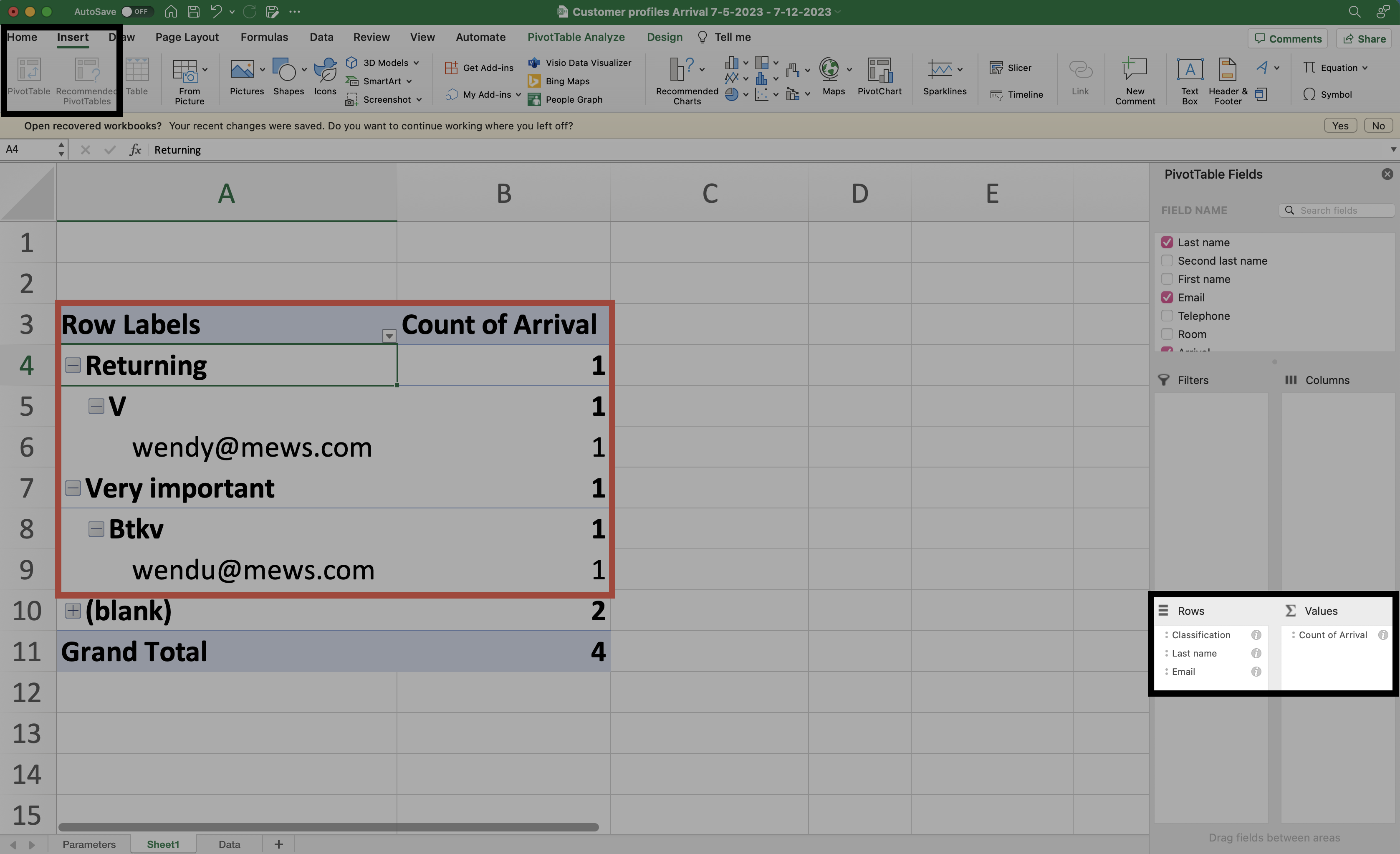
Once you have your report exported, select the tab “Data”, and navigate to the upper navigation bar and select the option “Insert” > “Recommended PivotTables”.
Excel will generate a Pivot Table and provide a wide range of selectable fields to customize your table as desired. I would recommend using “Classification & Last name / Email” as Rows selections, and for Values I’d chose “Arrival”. This will show you the number of arrivals / guest.
You can find more information about Pivot tables here.
Hope it helps! Have yourself a lovely day!
Wendy from Mews