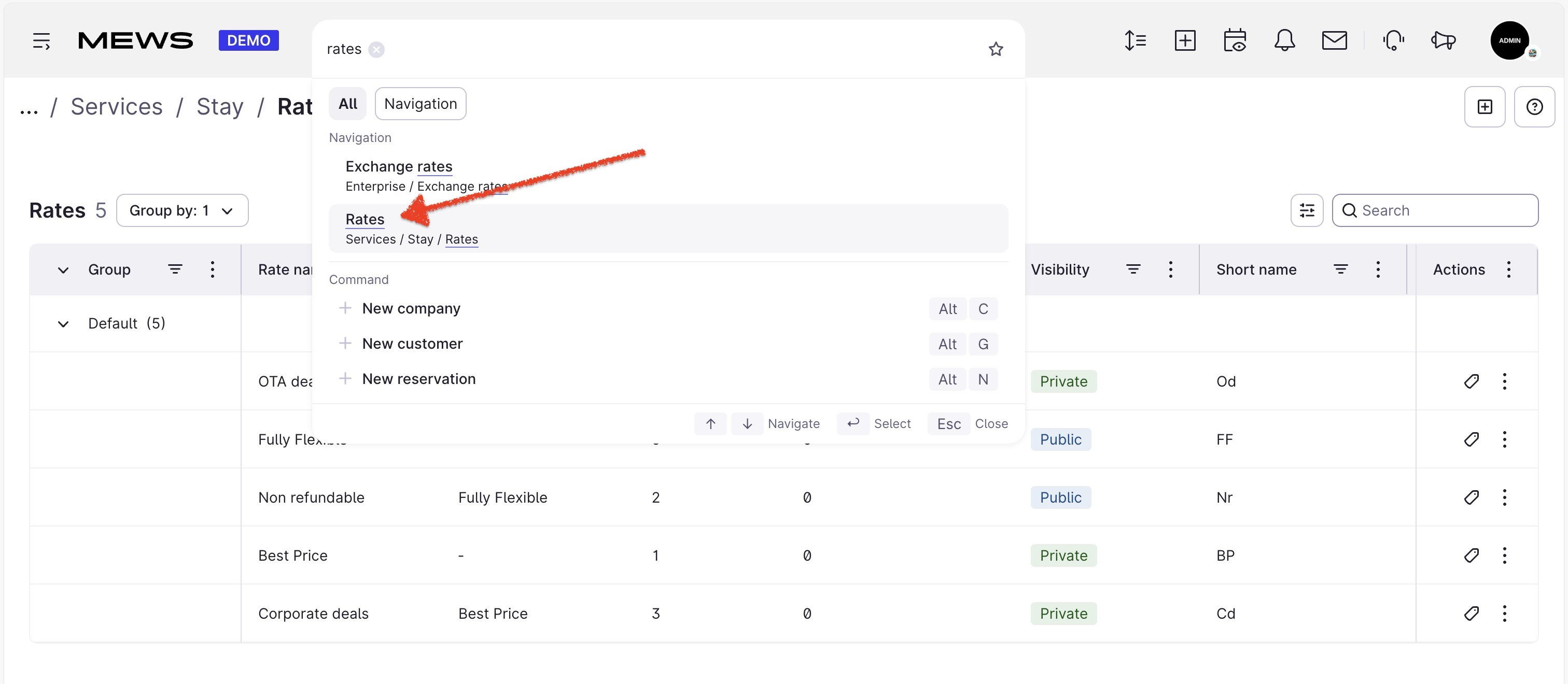
@ettore.zotarelli has helped us build the capability to group by rate-group in the rates page. This functionality was removed when migrating to the new tables, and is being reintroduces now.
We would love feedback on the same, and have deployed it to your Demo environments for testing. There on the rates page (list of rates), you will see the updated table, allowing grouping by rate-groups, and a new universal search bar that can help navigate to the right rate(s) quickly and efficiently.
i just checked the rate page in our demo and i like that there are more options to filter. However the “old” rate page is not so overloaded and showing less data without the need to “scroll” from left to right
Hi @Tobias_Sorling ! Long time no see! It’s already enabled to all demo accounts!
@Linus.Bihn indeed there’s a bit more width, but do you think that’s an acceptable tradeoff considering the superior filtering options, and that one can now select which columns to see? Keep in mind that one can bookmark that page with the preferred layout (columns to view/hide and their order) so for power users like yourself/a revenue manager etc, they could keep the page saved on their browser with their preferred look!
Thanks for being awesome partners! Looking forward to hearing from y’all!
I have tested the new layout, grouping and filtering features. I think this is awesome! I love that you can show/hide or reorder columns or even pin them either left or right. The option to collapse groups also perfect!
Further ‘features’ to be considered:
Rate group short name to be added to the list
Base rate short name to be added to the list
Option to edit rate group details directly from the list
Option to edit rate restrictions directly from the list
@ettore.zotarelli love it! as @szaboz mentioned, having that option to edit straight from this view would be a very nice addition but this is already helpful.
And.. it could be nice (as with all reports) to create ‘property’ or ‘chain level’ defaults..
Hi @Tobias_Sorling ! Long time no see! It’s already enabled to all demo accounts!
Heeeey @ettore.zotarelli
Yes its been a very long time. How are you doing now days? Will I see you at Unfold this year?
Awesome news, I will have a look at this next week then! And I would all ready +1 to show shortnames! That is so much easier for us that work with rate loading and such to remember rather then the full name of a rate!
Hi @Tobias_Sorling ! Long time no see! It’s already enabled to all demo accounts!
@Linus.Bihn indeed there’s a bit more width, but do you think that’s an acceptable tradeoff considering the superior filtering options, and that one can now select which columns to see? Keep in mind that one can bookmark that page with the preferred layout (columns to view/hide and their order) so for power users like yourself/a revenue manager etc, they could keep the page saved on their browser with their preferred look!
Thanks for being awesome partners! Looking forward to hearing from y’all!
Hey Ettore,
yes of course it is acceptable as this view gives more options in case of filtering and viewing data which is great!
I might have misunderstood: is this live in the Mews environment? Our revenue team informed me on the current situation: It’s nice to have the option to filter on rate-group. However i would love to see a drop down menu for this instead of have to write the group name. This could also be applied to the segment section. This would make it a lot easier to work with. And I’m also missing the universal search bar in our system.
It’s currently available for all properties on the demo environment, coming to all production (live) accounts in a week or so as our content team finishes preparing the announcement in all languages