Managing reservations in a new design - call for feedback

Hi Mews Community :victory_hand:

We’re working on a redesigned Reservation Module and we want your honest feedback before we roll it out more broadly. As you now, the current Reservation Module (see below) has certain limitations and we want to make sure reservation management gets smoother.
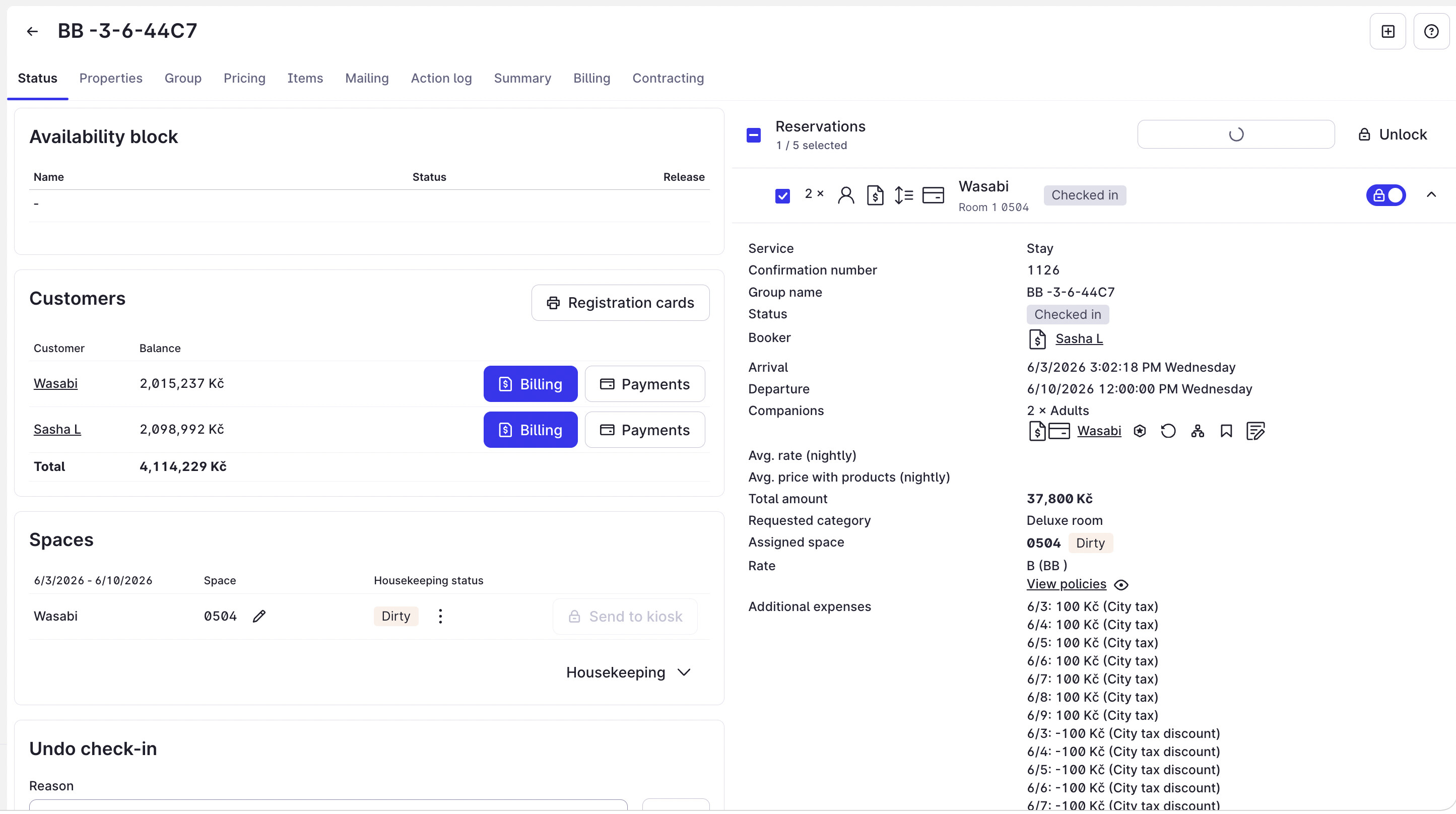
We’re opening early access to a small group of properties in your demo environment, and we’d love for you to be part of it.

What’s included right now

This first round is focused on viewing reservations and their info only — we’re not asking you to edit anything just yet (that comes in the next phase, and we’ll have a separate round of feedback for that). You’ll see a “Try new version” in the module to access the new design and you can start testing from there.
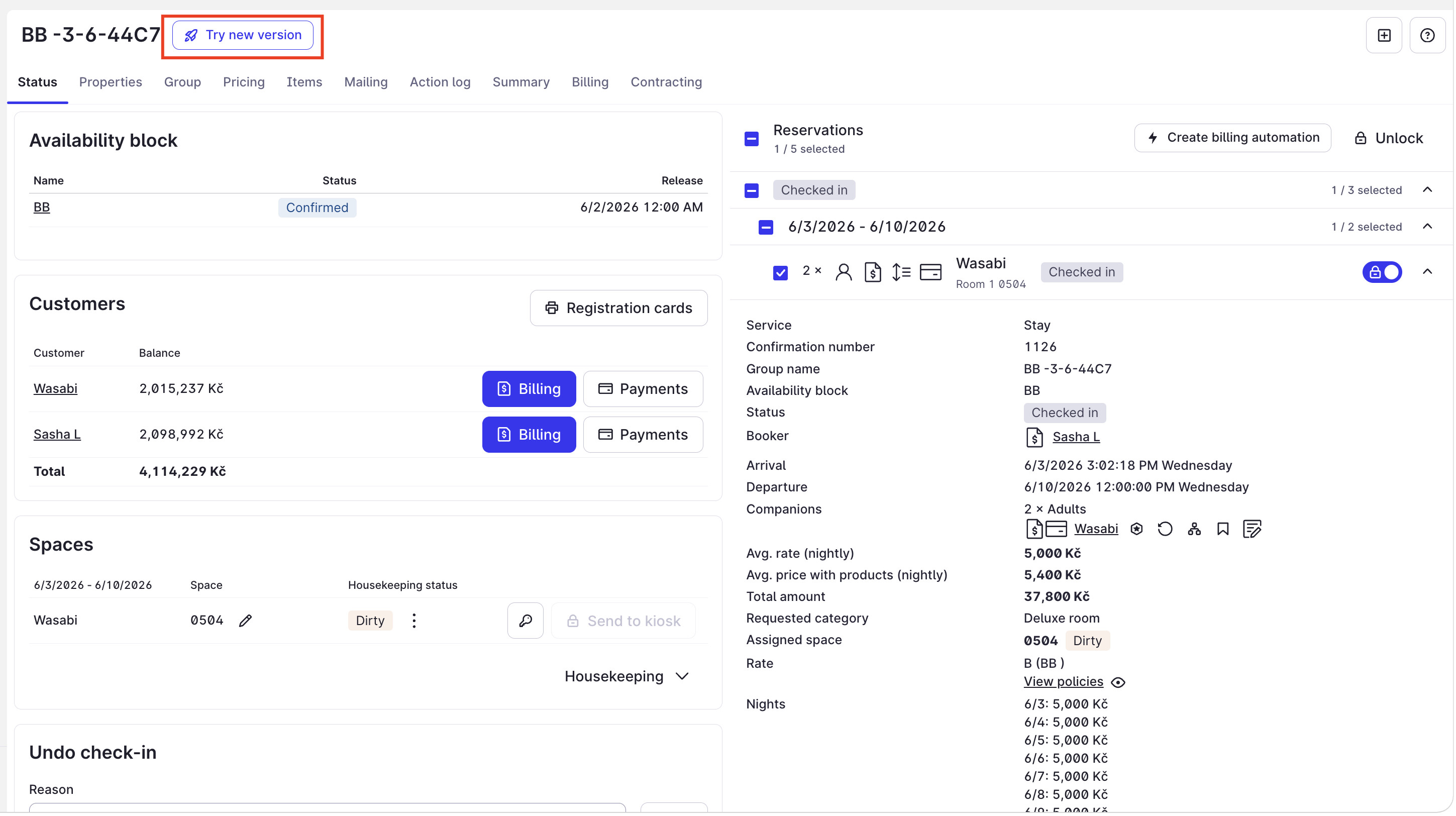
Here’s what you’ll be able to explore:

  • New Reservation List — a redesigned grid with improved filtering, sorting, and searching, including better support for working with groups of reservations.

  • Side Panel — clicking a reservation opens a side panel where you can view various tabs and work with them more efficiently.
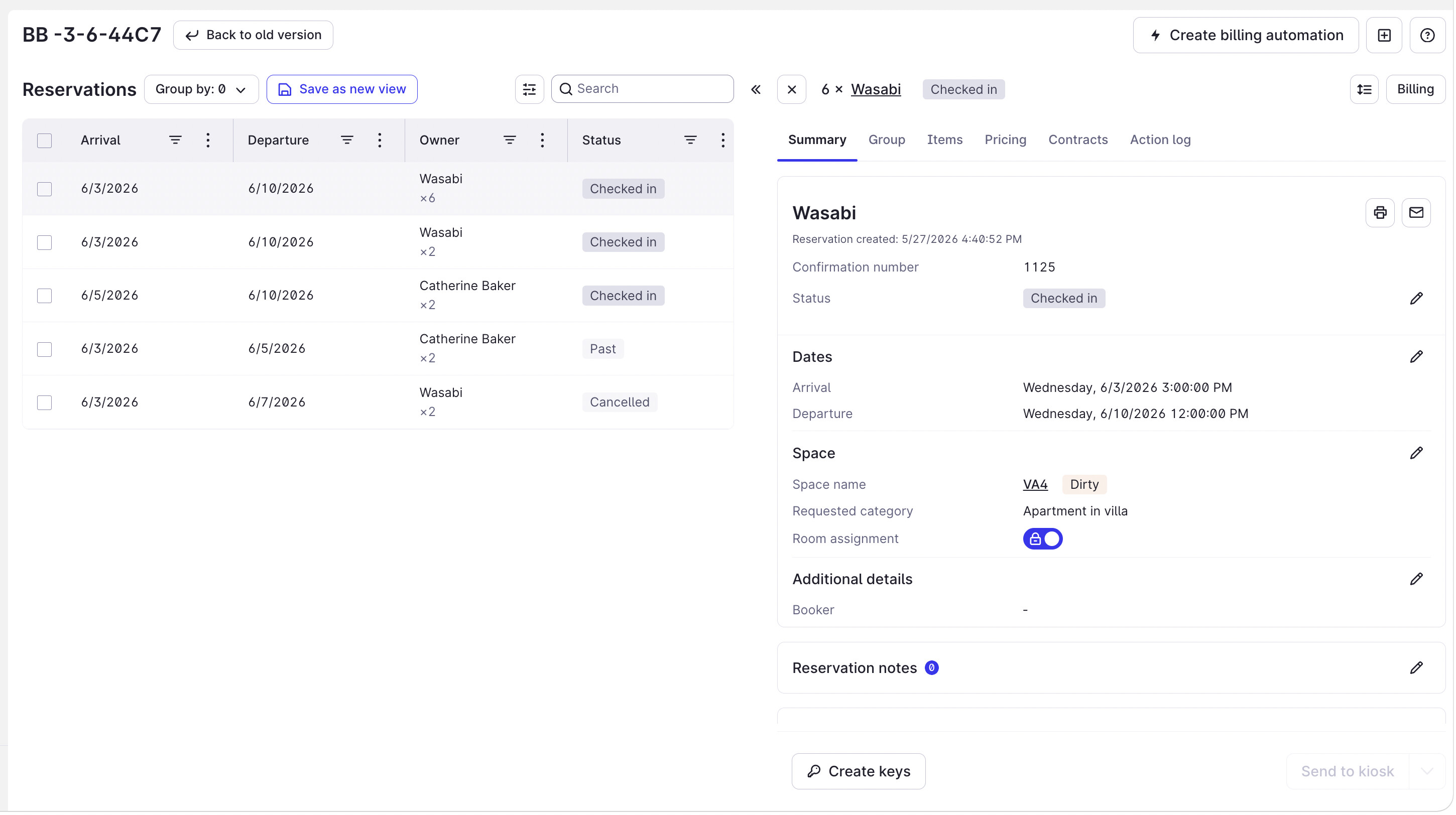
If you need to make an edit to a reservation to better view some info, that’s not a problem — there’s a “Back to old version” button at the top of the page. Use it any time you need to make changes, then switch back to the new view when you’re ready. The goal is to use the new module to mimic your real daily work over so you can get a genuine feel for it and share your experience with us.

What we’re asking

  • Try the new view over a few days for a couple of hours to get a real feel for it.

  • Test out the reservation list with a large group of reservations and go through filtering, sorting, searching, etc.

  • Play around with the side panel and think how the information is display to you, especially in the Summary tab, for day to day work

  • Fill in a short Typeform survey to share your experience across the key areas after some time of testing - this is important as we want to know not the “first impressions” but feedback from real experiences.

How to get access

We’ll enable it for you manually on your demo environment. Just reply to this post with your Property name. We’ll confirm once you’re enabled.

The reason we’re using demo environment for this testing to ensure your daily operations are not affected, especially since the editing of reservation won’t work for now. We want to speed up the feedback loop and release this functionality as soon as possible while we’re building the remaining parts.

Let me know below if you have any questions or comments. Thank you!

2 Likes

Excited to see and try :slight_smile: Please enable it for JustStay Hotels :slight_smile: Thank you :smiley:

1 Like

Please enable Trans World Hotel Kranichhöhe. Thank you :four_leaf_clover:

1 Like

Please enable Trans World Hotel Kranichhöhe. Thanks :four_leaf_clover:

1 Like

HI ​@daniel.do ,

sounds great. Can you please enable in all Maritim Demo environments (except Mauritius) ?

Thank you in advance :slight_smile:

Louisa

1 Like

We would be very interested to try this at The Regent Aparthotel. Thank you!

1 Like

We’d love to take part!

Rhodes House- please can you enable in our demo environment- although our demo environment does not appear to be working at all- can this be looked into in addition?

1 Like

THE GATE GARDEN Hotel please :slight_smile:

We would need a password reset for our demo environment as we don’t have access to the original email it was setup with.

1 Like

Can you please enable Rambla :slight_smile:

​@daniel.do is it possible with the new screen to have different number of guests per day within the same reservation?

Example:

  • 1st night one person
  • 2nd night two person
  • 3rd night one person

So not adapting the whole reservation, only specific dates.

1 Like

hi ​@daniel.do kindly add all WestCord Hotels in Demo

1 Like

Hey ​@Sonja, I couldn’t find your property on the DEMO environment. Can you please double check what is the name?

Hey ​@Louisa_Ruhrberg, I enabled it for all Maritim demo properties except for Mauritius :slight_smile:

1 Like

Hey ​@Sami_Citystay, I couldn’t find your property in the DEMO environment. Did you use the right name?

daniel.do wrote:

Hey ​@Sonja, I couldn’t find your property on the DEMO environment. Can you please double check what is the name?

It’s ID 8caac85e-e5ba-4825-a6e1-b17a00de6d91 :slight_smile:

​@Sonja Hehe, thanks! This works better than the name. I enabled it just now :slight_smile:

1 Like

​@Sharon28 I couldn’t find your demo property. Can you maybe share with me the ID? I also don’t know who helped you setting up the demo account so it’s better to talk with your account manager about this.

​@GATEGARDEN-Isabel Thanks for the interest! I just enabled it now. I also sent you DM to check what email address I should use.

Georg Gaag wrote:

​@daniel.do is it possible with the new screen to have different number of guests per day within the same reservation?

Example:

  • 1st night one person
  • 2nd night two person
  • 3rd night one person

So not adapting the whole reservation, only specific dates.

Hey ​@Georg_Gaag, this won’t be possible for now. We wanted to include work in this improvement but because of the complexity, we decided not to.

1 Like

​@mauritsbots I enabled it for all properties on demo just now :slight_smile: