As you might already be aware, back in June, we introduced hourly services to Mews. And now, we’re taking it a step further – introducing the Beta Hourly Services Promotion capability on the Booking Engine (and soon on the Guest Portal, starting August 21st).
So, how does this work?
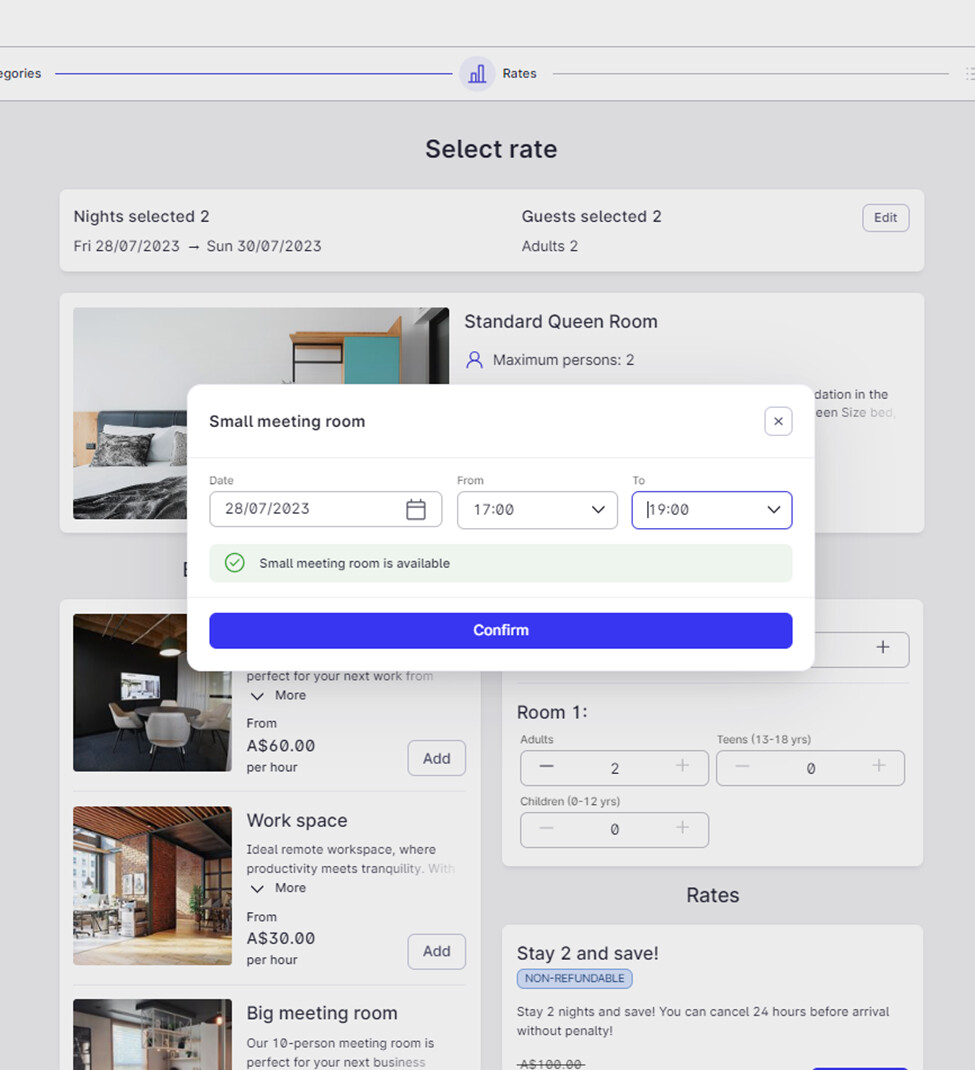
It is easy. When your guests book their stay through Mews Booking engine or go through Online Check-In, they’ll have the option to book meeting rooms or co-working spaces as a promoted hourly service from the “Enhance your stay” section. Guests can easily pick a specific time slot (with a minimum of one hour) and date within their stay duration. This hourly service reservation will become part of the reservation group.
Are you intrigued? Take a look at what your guests will see in the Booking engine.
What are the benefits?
Multiply bookings for the same meeting room daily and seamless management of both spaces and accommodations through Mews. Here’s how to set it up:
We were just talking about this today! Can you please enable this in our demo environment for Generator London?
Thanks,
Sam
Hello Sam,
I’m happy to hear about that. It has been enabled in the demo environment for you now and can be set up for the Booking engine. Online Check-In will be added shortly (by Monday, the 21st at the latest). If you agree, I will enable it for you then as well.
You can enable this option for Grand Hotel Casselbergh as well.
Maybe a tip for the colleagues: we want to use the hourly services within Mews to manage our massage room and to let guests book massages themselves.
You can enable this option for Grand Hotel Casselbergh as well.
Maybe a tip for the colleagues: we want to use the hourly services within Mews to manage our massage room and to let guests book massages themselves.
Kind regards,
Egon Lagrou
Good morning Egon,
Thank you your interest! I’ve gone ahead and set everything up for you in the production environment. Right now, you can configure the promoted hourly services on the Booking engine. I will also enable the option for Online Check-in in the upcoming days for you, if you agree.
Please note, that the feature was developed for the use case of meeting rooms, so while it is possible to use if for other purposes as well, it may not support the massage use case for 100 %.
As for the booking engine for hourly services itselves, we know it is logical next step and we are looking at it, but it is not roadmapped yet. Once we have more information to share, we will let you know.
If there is something else I can add, please let me know.
I wanted to let you know that we finished the development for promoted services during Online Check-In as well.
@Sam, I have enabled the setting for you in the demo environment, so feel free to go ahead and set it up for Online Check-In. @Egon_Lagrou, I have also enabled the capability for you in the production environment.
If you have any feedback, ideas, or suggestions to share, I will be more than happy to hear from you!
Thank you for your interest! I’ve just enabled the setup for both the Booking Engine and the Online Check-In for you. Please let me know if you have any questions or feedback to share.
Its a good first step But for us no need to switch on in the live environment as there are a couple of steps missing before we would setup and go live.
For our requirement we need a standalone booking engine for the hourly service, until there is this functionality we need to stick with our 3rd party provider. Also there is no options for the XS space type to use for smaller spaces/items. And missing the option to name the space types as required so we would need to use random naming.
Look forward to seeing further developments.
Hi Sam,
Thank you for letting me know. We will reach out when we have further development to share!
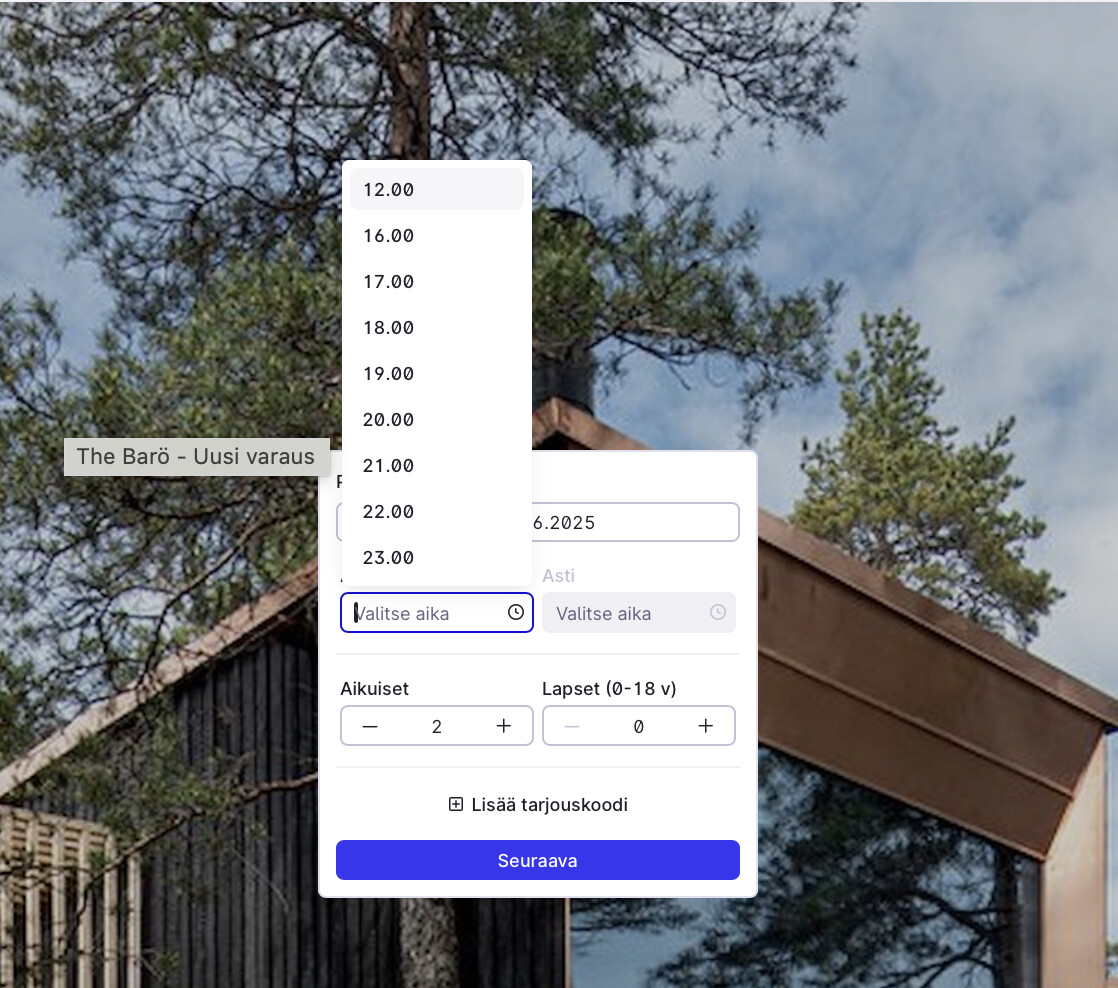
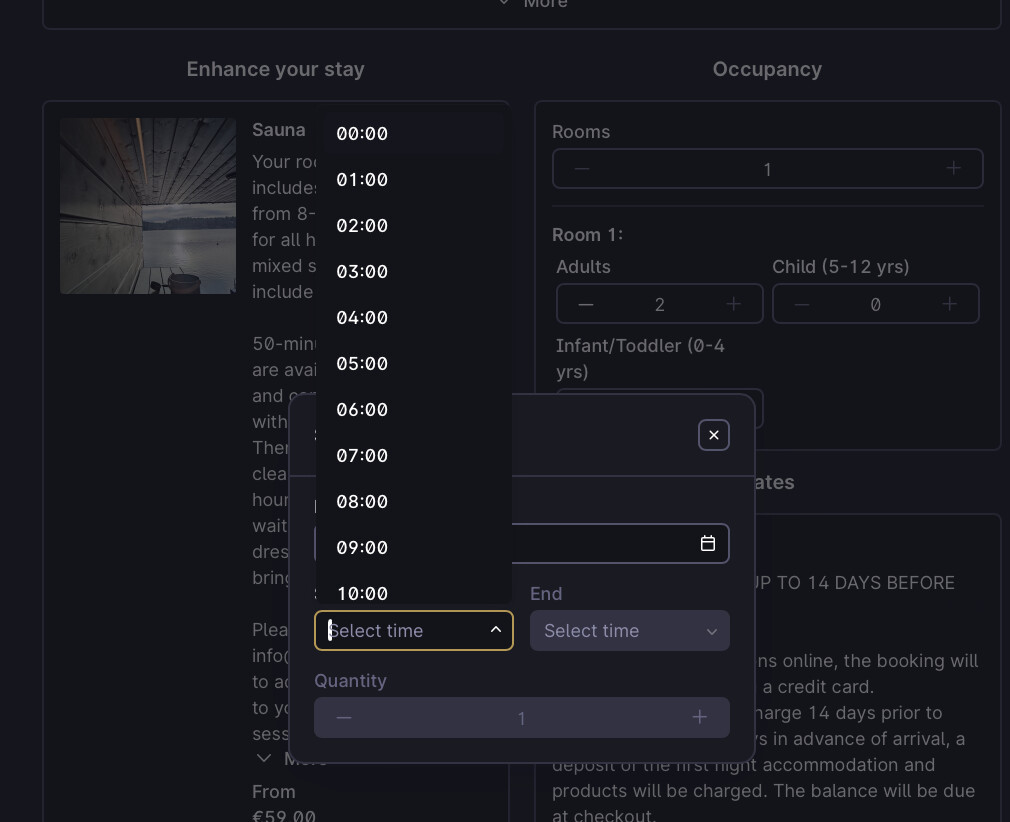
While I’ve successfully applied restrictions to an hourly booking service, these limitations only appear within the booking engine for the specific service itself. I’ve attached screenshots showing how it appears both in the service booking engine and when added as a promotional service via the stay booking engine.
When the service is included as a promotion, the booking engine still displays all time slots. If a guest selects a restricted time slot, they receive a “not available” message along with alternative suggestions. Ideally, only the available time slots should be visible from the outset to avoid confusion and streamline the booking experience.
Service booking engine - with only available time slots.
Stay booking engine with service promotion - displaying all times (despite restrictions)

 But for us no need to switch on in the live environment as there are a couple of steps missing before we would setup and go live.